What an Access Switch Does and How to Size One for a UK Office
An access switch is the switch your users' devices plug into: the desk ports, the phones, the wireless access points, the printers and the cameras. It sits at the edge of the network and passes their traffic up to the core or the firewall. Sizing one comes down to five numbers: how many ports you need, how much Power over Ethernet those ports must deliver, how fast the uplinks are, which security features the edge must enforce, and how much room you leave for growth. This guide works through each with the arithmetic shown, so you can check a quotation rather than take it on trust.
Where the access layer sits in a network
Network designers describe a wired network in up to three layers:
- Access. Where endpoints connect. Lots of copper ports, Power over Ethernet, and the first point where the network can decide who a device is and which VLAN it belongs on.
- Distribution. Aggregates the access switches from several closets or floors, and is often where routing between VLANs happens.
- Core. The fast backbone joining distribution blocks, servers and the internet edge.
Many UK small and medium offices collapse distribution and core into one pair of switches, or into the firewall itself. The edge layer never disappears, because every device has to plug in somewhere. Cisco's own Catalyst 9000 range shows the split clearly: the 9200 and 9300 are positioned for access, the 9500 and 9600 for the core.
One practical consequence: the switch at the edge is the one you buy the most of. A mistake in its specification is repeated on every floor, so it pays to get the sizing right once.
Step one: count the ports properly
Start from the floor plan, not from the last order. For each closet, list:
- Live data outlets. Count the outlets that are actually patched, not every outlet in the cabling schedule. Many offices cable two outlets per desk and use one.
- Phones. If desk phones pass a PC through their own built in port, one switch port serves both. If not, each phone needs its own port.
- Wireless access points. Usually one port each, sometimes two on high end models.
- Cameras, door controllers, displays and printers. These are the devices people forget until the installer arrives.
- Uplinks and management. Uplinks normally use dedicated ports, but note any connection to a UPS management card or out of band network.
Then add headroom. A switch that is full on day one turns every new starter into a change request. Leaving a few free ports per switch, or one spare switch's worth of ports per closet, is a sensible habit. Port counts come in 8, 12, 16, 24 and 48 port sizes, so round up to the next size that leaves that margin.
Step two: work out the PoE budget
Power over Ethernet is where edge switches are most often undersized. Two limits matter: the power each port can deliver, and the total the whole switch can deliver at once. The IEEE standards set the per port classes:
| Standard | Common name | Power at the switch port | Power available at the device |
|---|---|---|---|
| 802.3af (Type 1) | PoE | 15.4 W | 12.95 W |
| 802.3at (Type 2) | PoE+ | 30 W | 25.5 W |
| 802.3bt (Type 3) | PoE++ | 60 W | 51 W |
| 802.3bt (Type 4) | PoE++ | 90 W | 71.3 W |
The difference between the two power columns is lost in the cable, which is why budgets are calculated at the switch end. Our article on PoE standards goes further into classes and negotiation.
A worked example
Take one closet serving 24 desk phones on 802.3af, 10 access points that need PoE+, and 4 cameras on 802.3af. Budgeting every device at its class maximum at the switch port:
- 24 phones at 15.4 W = 369.6 W
- 10 access points at 30 W = 300 W
- 4 cameras at 15.4 W = 61.6 W
- Total: 731.2 W across 38 PoE ports
Now compare with real switches. Cisco's Catalyst 1000 data sheet gives up to 740 W of PoE budget on its 48 port PoE+ models such as the C1000-48FP-4G-L, which would carry this closet with almost no margin. The Catalyst 9200 data sheet gives PoE+ at up to 30 W per port with a maximum of 1440 W per switch, depending on the power supplies fitted. Devices rarely draw their class maximum all the time, so budgeting at the maximum is conservative, but conservative is right for the closet that has to keep phones alive during a busy morning.
Two further checks: newer Wi-Fi access points may need more than PoE+ to run every radio, so read the access point's data sheet for its power requirement, and a switch on a single power supply loses all PoE if that supply fails.
Step three: size the uplinks
The uplink is the connection from the edge switch to the core or firewall. Its speed limits how much of the edge traffic can leave the closet at once. The usual measure is the oversubscription ratio: total edge bandwidth divided by uplink bandwidth.
- 48 ports at 1 Gbps = 48 Gbps of edge capacity.
- Two 10 Gbps uplinks = 20 Gbps, a ratio of 2.4 to 1.
- Two 1 Gbps uplinks = 2 Gbps, a ratio of 24 to 1.
Office users do not all send at full speed at once, so some oversubscription is normal. The ratio matters when the traffic is heavy and shared: large file transfers to a server room, backup traffic, video, or modern access points that move several gigabits each. For any switch carrying access points or more than a couple of dozen active users, 10 Gbps uplinks are the sensible baseline today, and fibre between closets avoids the distance limits of copper.
Check the uplink format too. Some models have fixed uplink ports; others take a module that has to be ordered separately. SFP and SFP+ ports need transceivers that match the cable at the other end.
Port speed at the edge: 1G or multigigabit?
Most desk ports still run happily at 1 Gbps. A desktop browsing, mailing and joining calls rarely comes near that, and 1 Gbps copper ports remain the cheapest per port. The exception is the wireless access point. Recent access points can pass more than 1 Gbps of combined traffic across their radios, and a 1 Gbps port then becomes the ceiling for every user on that access point.
That is why switch makers now offer multigigabit ports at 2.5, 5 or 10 Gbps on copper. Cisco's Catalyst 9200 data sheet lists multigigabit 9200CX models with up to 60 W per port, and Cisco describes the Catalyst 1300X as adding 2.5G and 5G mGig connectivity with 60 W PoE. A practical pattern is a switch with a block of multigigabit ports for the access points and 1 Gbps ports for everything else, rather than paying for multigigabit on every desk.
Two checks before you commit. First, the cabling: higher copper speeds depend on the grade and quality of the installed cable, so look at the test report from your cabling installer before assuming every run can carry them. Second, the uplink: four access points each pushing more than a gigabit will need the 10 Gbps uplinks discussed above, or the bottleneck simply moves up a level.
Step four: decide which features the edge must enforce
The edge is where security policy meets a physical port, so the feature list matters as much as the port count.
- VLANs. Separate voice, cameras, guests and staff devices so each can have its own rules. Our guide to segmenting a small office network shows a simple plan.
- 802.1X port authentication. The switch asks a device to prove who it is, normally against a RADIUS server, before letting it onto the network. Devices that cannot authenticate, such as some printers, are usually admitted by MAC address into a restricted VLAN.
- Protection features. DHCP snooping, ARP inspection and port security stop a rogue device from impersonating your router or flooding the network.
- Quality of service. Prioritises voice and video so calls stay clear when the network is busy.
- Secure management. The Cyber Essentials Requirements for IT Infrastructure v3.2 tell organisations to change default or guessable passwords on computers and network devices and to remove or disable unnecessary services. On a switch that means a unique admin password, SSH rather than Telnet, and unused management services turned off.
All of this needs a managed switch. An unmanaged switch has none of these controls; our comparison of managed and unmanaged switches explains where each belongs.
A one page access switch sizing sheet
Fill this in for each closet and send it with any request for a quotation. It turns a vague request into a specification.
| Input | Example | Why it matters |
|---|---|---|
| Live endpoints | 38 | Sets the port count |
| Headroom | One spare switch's worth | Avoids a change request per new starter |
| PoE devices by class | 28 at 802.3af, 10 at 802.3at | Sets the PoE budget |
| PoE budget at class maximum | 731.2 W | Compare with the switch and power supply |
| Uplink speed and media | 2 x 10G, multimode fibre | Sets modules and transceivers |
| Security features | VLANs, 802.1X, DHCP snooping | Sets the model and licence tier |
| Management | Command line, web or cloud | Sets the product family |
If the closet needs more ports than one switch provides, the next decision is whether to stack switches into one logical unit or run them separately. Stacking simplifies management and lets uplinks be shared; standalone switches fail independently. Either works, as long as the uplinks and PoE budget are sized for the whole closet.
Supplying edge switches to a UK office from Dubai
Codeeo Tech is a Dubai reseller with no UK office or UK stock, so switches for a UK site ship from Dubai and are imported. When we checked the UK Trade Tariff in October 2026, commodity code 8517 62 00 00 showed a third country duty of 0% and import VAT at 20%; your customs agent confirms the code for each item. GOV.UK's WEEE guidance treats a business importing electrical equipment on a commercial basis as a producer with registration duties, which matters if you resell. Our catalogue covers several families suitable for the edge, including the Cisco Catalyst C9200-24P-A and the Aruba CX 6100 series.
FAQ: access switches
What is the difference between an access switch and a core switch?
The access switch connects endpoints and provides PoE and port security. The core switch connects other switches, servers and the internet edge, and is built for throughput and resilience rather than port count.
How much PoE budget do I need?
Add up every powered device at its class maximum at the switch port: 15.4 W for 802.3af, 30 W for 802.3at, 60 W or 90 W for 802.3bt. Compare that total with the switch's budget for the power supply you are buying.
Are 1 Gbps uplinks enough?
For a handful of light users, perhaps. For a switch carrying access points or dozens of users, 10 Gbps uplinks avoid a bottleneck at the closet.
Do I need 802.1X on a small office network?
Not always, but it stops anyone plugging an unknown device into a desk port and landing on the staff network. Choose a switch that supports it even if you enable it later.
Can Codeeo Tech deliver switches to the UK?
Yes. We quote with delivery to a UK address from Dubai; import VAT and any duty are paid on arrival.
What to send with your enquiry
- The completed sizing sheet above for each closet.
- The make and model of your core switch or firewall, so uplinks match.
- Preferred brand or management style, if you have one.
- Whether you need spare switches or spare power supplies.
- The UK delivery address and who will act as importer.
Every switch in the Codeeo Tech catalogue is priced through Add to Quote. Send those details through the contact page and we will reply with models that meet the port, PoE and uplink figures, and flag any closet where the numbers do not add up.
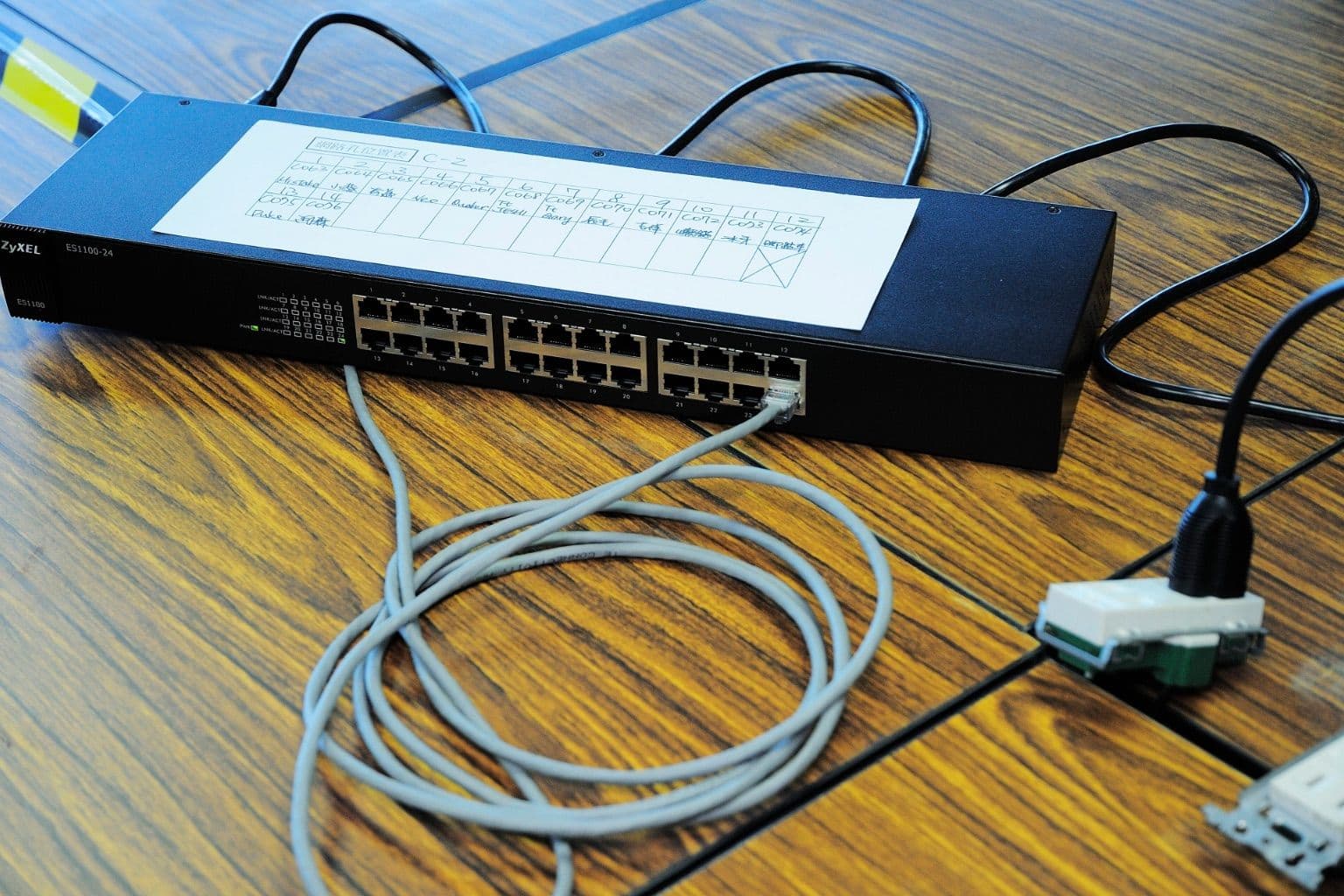
Cover photo: ZyXEL ES1100-24 and RJ45 cable (15055950576) by Sinchen.Lin, via Wikimedia Commons (CC BY 2.0).

