HP All in One vs a Mini PC and Monitor for Dubai Desks
For most Dubai office desks, a mini PC plus a separate monitor wins on upgrade path and lifecycle, while an HP all in one wins on tidiness, fewer cables and a single item to order, mount and track. Choose the all in one where the desk is on show or space is tight, such as a reception or a clinic counter. Choose an HP mini PC and a monitor where staff need two screens, where the screen is likely to outlive the computer, or where a failure must be fixed in minutes by swapping one small box. Both come from the same HP business range, so the decision is about form, not quality.
Below we compare the two on desk space, upgrades, how each one fails, and what the total lifecycle looks like, using HP's own QuickSpecs for the current EliteStudio all in ones and the EliteDesk Mini desktops.
The two setups, side by side
HP's current business all in ones are sold as ProStudio and EliteStudio, replacing the older ProOne and EliteOne names. HP's current business mini desktop is the EliteDesk 8 Mini G1i, which follows the Elite Mini 800 G9. The Elite Series 8 G1i QuickSpecs cover both the EliteStudio all in one and the EliteDesk mini, which makes a fair comparison easy.
| Point | HP all in one (EliteStudio 8 G1i) | HP mini PC (EliteDesk 8 Mini G1i) plus monitor |
|---|---|---|
| Screen | Built in, 23.8 or 27 inches, touch or non touch | Any monitor you choose, one or several |
| Computer size | Inside the screen body | 177 x 181 x 34 mm, 1.09 litres, per HP |
| Memory | 2 SODIMM, customer accessible | 2 SODIMM, up to 64 GB |
| SSD slots | Two M.2 2280 on the 23.8 inch datasheet | Three internal M.2 2280 |
| Extra displays | HDMI out for a second screen | Up to 4 displays on 35 W processor models |
| Mounting | Stand or VESA option chosen at purchase | VESA sleeve or bracket behind the monitor or under the desk |
| Standard warranty in the QuickSpecs | One year onsite, next business day | One year onsite, next business day for the PC; the monitor has its own |
The older generation follows the same pattern. HP's Elite Series 800 G9 QuickSpecs give the Elite Mini 800 G9 at 177 x 175 x 34 mm and 1.05 litres, with support for up to four displays on integrated graphics and up to eight with the optional NVIDIA card.
Desk space and cable count
The usual argument for an all in one is space. In practice, a mini PC at roughly one litre takes almost no desk at all when it is mounted on the back of the monitor with HP's VESA sleeve or a bracket. HP's QuickSpecs list a "Dual VESA Sleeve V4" and a family of B series mounting brackets for the mini. From the front, a well mounted mini PC and monitor look very close to an all in one.
The real difference is cables and parts. An all in one needs a power cable and, ideally, a network cable. A mini PC and monitor need a power brick for the PC, a power cable for the monitor, a video cable between them and the network cable. That is two more things to come loose when a cleaner moves the desk. On an open plan floor in an office tower, nobody notices. On a glass reception counter, everybody does.
- All in one wins: receptions, clinic counters, showroom desks, anywhere the back of the screen faces visitors.
- Mini PC wins: back office desks, desks with cable trays, and any desk where a monitor arm is already fitted.
Upgrade path: what each one lets you change later
Both HP business designs let you add memory. HP's Elite Series 8 G1i QuickSpecs say "All memory slots are customer accessible" for the EliteStudio, and give the EliteDesk mini two SODIMM slots with a 64 GB maximum. Storage is similar too, with M.2 slots in both.
The upgrade that matters most over five years is not memory. It is the screen and the computer ageing at different speeds.
- With a mini PC, you can replace the computer and keep a good monitor, or add a second monitor when a role changes. A finance team that moves from one screen to two needs one cable and a monitor, not a new computer.
- With an HP all in one, the screen is fixed. You can add a second monitor through the video output, but the first screen is always the one built in, and when the computer is retired the screen goes with it.
There is one partial exception on older models. HP's QuickSpecs for the EliteOne 840 G9 describe an "HDMI-in enabled Monitor Mode which disassociates panel from CPU for use as strictly display only". The current ProStudio 4 lists an HDMI input as well. That can give a retired all in one a second life as a plain monitor, but check the exact model, because HP's EliteStudio 8 datasheet lists HDMI out only.
Failure modes and how fast you recover
Everything fails eventually. What differs is how much of the desk goes down with it, and how quickly someone can put it back.
| What fails | All in one | Mini PC plus monitor |
|---|---|---|
| Screen panel | Whole desk down until repair or swap | Swap the monitor, computer keeps working |
| Motherboard or power | Whole desk down | Swap a one litre box; monitor stays |
| Storage | Replace SSD or reimage | Replace SSD or reimage |
| Spare to keep on the shelf | A complete unit | A mini PC, and perhaps one monitor |
For an office of thirty desks, keeping one spare mini PC on a shelf is easy. Keeping a spare all in one means storing a larger box, and if you run two screen sizes, possibly two. Onsite warranty helps both, but next business day service is still a day without that desk. HP's QuickSpecs list the standard business terms as "One-year (1-1-1) limited warranty delivers one year of on-site, next business day service for parts and labor", extendable to five years through an HP Care Pack.
Spare parts availability is the same for both: HP's Elite Series 8 G1i QuickSpecs state that spare parts are available throughout the warranty period and for up to five years after the end of production.
Power, heat and the comms cupboard
Two practical details often decide the matter in UAE buildings. The first is power. A mini PC runs from an external power brick, which is one more item that can be kicked loose or borrowed, while an all in one usually takes a single mains cable. Either way, a short power cut in a building on generator changeover will restart every desk that is not on battery backup, so decide early which desks get a small UPS. Our guide to UPS power protection for Dubai offices explains sizing.
The second is heat. A mini PC tucked into a closed drawer or a sealed counter void will run hot and throttle, especially in buildings where air conditioning is reduced after hours. Mount it where air can move, such as on the back of the monitor or under an open desk edge. An all in one vents through its own body, so it simply needs clear space around the back of the screen.
Total lifecycle: what you are really paying for
Codeeo Tech does not publish prices, and they move with configuration and supply anyway, so instead of figures, here is how the cost lands over the life of each setup.
- Day one. An all in one is one line on the quote. A mini PC needs a monitor, a mount and a video cable on top. For a single desk, the all in one is usually simpler to buy.
- Middle years. Adding memory or an SSD costs about the same for both. Adding a second screen is simpler on the mini PC.
- Replacement. This is where the mini PC usually pulls ahead. A good business monitor can comfortably outlast one computer, so at refresh time you buy only the box. With an all in one, you buy the screen again.
- Disposal. An all in one leaves one larger unit to wipe and dispose of. A mini PC leaves a small box and keeps the monitor in service.
The Windows 10 deadline showed this clearly. Microsoft ended support on 14 October 2025, and Windows 11 requires TPM 2.0 among other things. Offices with mini PCs and monitors could replace the computers alone. Offices with older all in ones that could not move to Windows 11 had to replace screens that still worked perfectly.
When each one wins in a Dubai office
Choose an HP all in one when
- The desk faces customers, patients or guests and must look tidy from both sides.
- Counter space is limited and cleaning around equipment matters, as in clinics and pharmacies.
- You want touch on the main screen for check in or forms.
- One screen per desk is all the role will ever need.
Choose a mini PC and monitor when
- Staff need two or more screens, as finance, design and operations roles often do.
- You want to keep monitors through more than one computer refresh.
- Downtime must be minutes, not a day, because a spare box can be swapped by anyone.
- Desks already have monitor arms or you plan to standardise on one monitor model.
- You may move the computer later into a meeting room, a kiosk enclosure or a digital sign.
Many Dubai offices end up with both: HP all in one units at reception and in client areas, and mini PCs with monitors in the back office. That is a sensible mix as long as both come from the same business range, so the same warranty and management tools apply. For the monitor side of the setup, our guide to docking stations and monitors covers sizing and connections. If you are choosing between desktops and laptops as well, see business versus consumer laptops for UAE companies.
Frequently asked questions
Is a mini PC as powerful as an HP all in one?
In HP's business range they draw from similar processor families, and the QuickSpecs for both the EliteStudio and the EliteDesk mini sit in the same Elite Series 8 G1i document. For office work, performance is rarely the deciding factor. Form, screens and serviceability are.
Can a mini PC drive two monitors?
Yes. HP's QuickSpecs state the EliteDesk 8 Mini G1i supports up to four displays through its native video ports on 35 W processor models, and the older Elite Mini 800 G9 up to four on integrated graphics.
Can I use an old HP all in one as a monitor?
Only on models with an HDMI input that supports it. HP documents a Monitor Mode on the EliteOne 840 G9. Check your model's QuickSpecs before planning around it.
Which is easier to secure?
Both HP business designs carry HP Wolf Security for Business on Windows 11 Pro. A mini PC mounted behind a monitor or under a desk is less visible, which helps in public areas, but a lockable mount does the same job for either.
What about consumer HP all in ones?
HP's consumer OmniStudio models usually ship with Windows 11 Home, and the OmniStudio X 27 page lists one year of parts and labour with no onsite repair. For office desks, compare business models against business models.
What to send with a desktop enquiry
- How many desks, and which are customer facing.
- How many screens each role needs, and any monitors you already own.
- Mounting: stand, VESA arm, behind the monitor or under the desk.
- Windows 11 Pro or your own licensing.
- Warranty or Care Pack term, and whether you want a spare unit on the shelf.
You can browse the HP range first, and every item on the Codeeo Tech store is priced through Add to Quote. Send those five answers through the contact form, and the reply from Building A1, IFZA Business Park in Dubai Silicon Oasis will set out which desks suit an all in one, which suit a mini PC, and what each option includes.
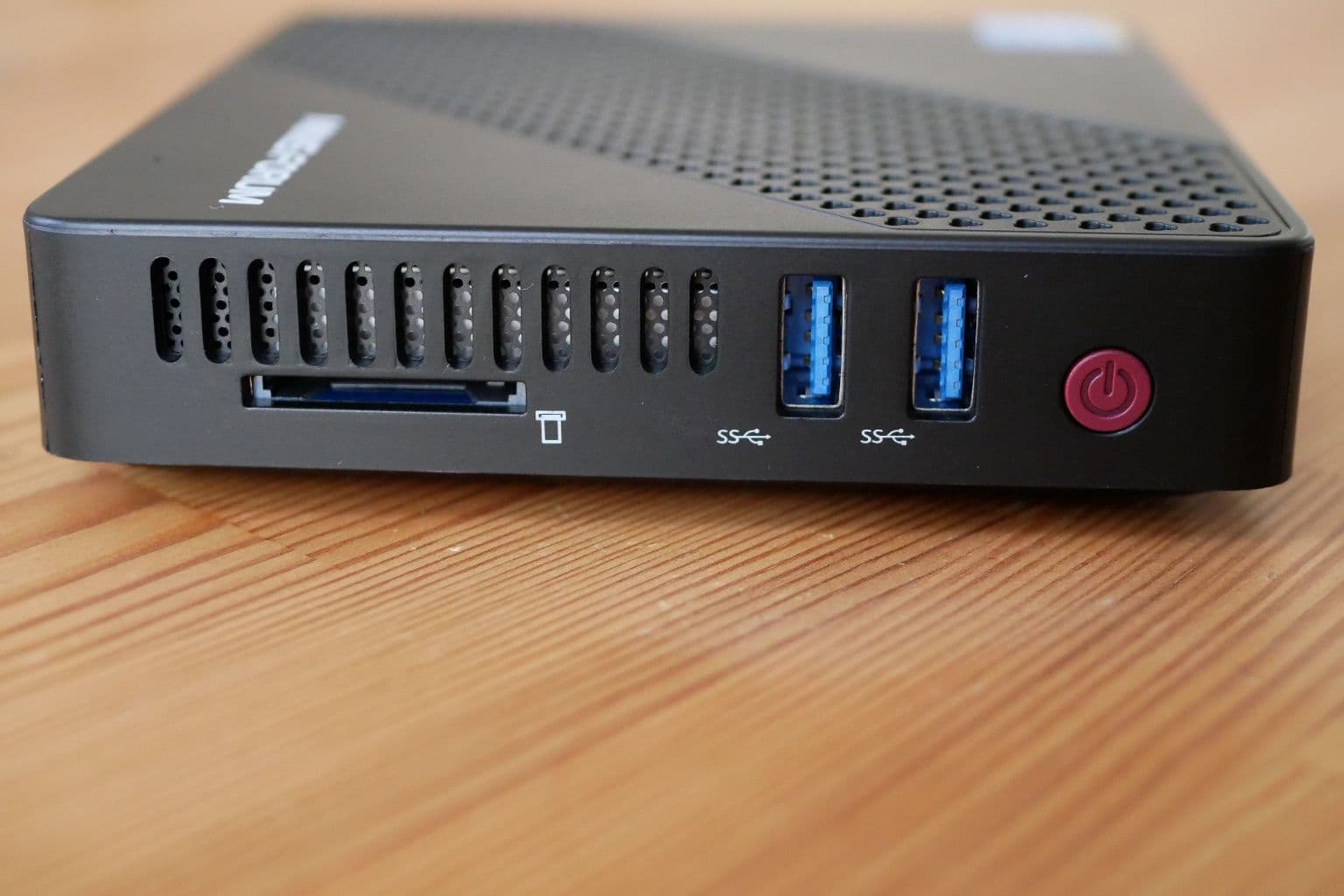
Cover photo: Minisforum N40 Mini PC ports side, via Wikimedia Commons (CC0).

