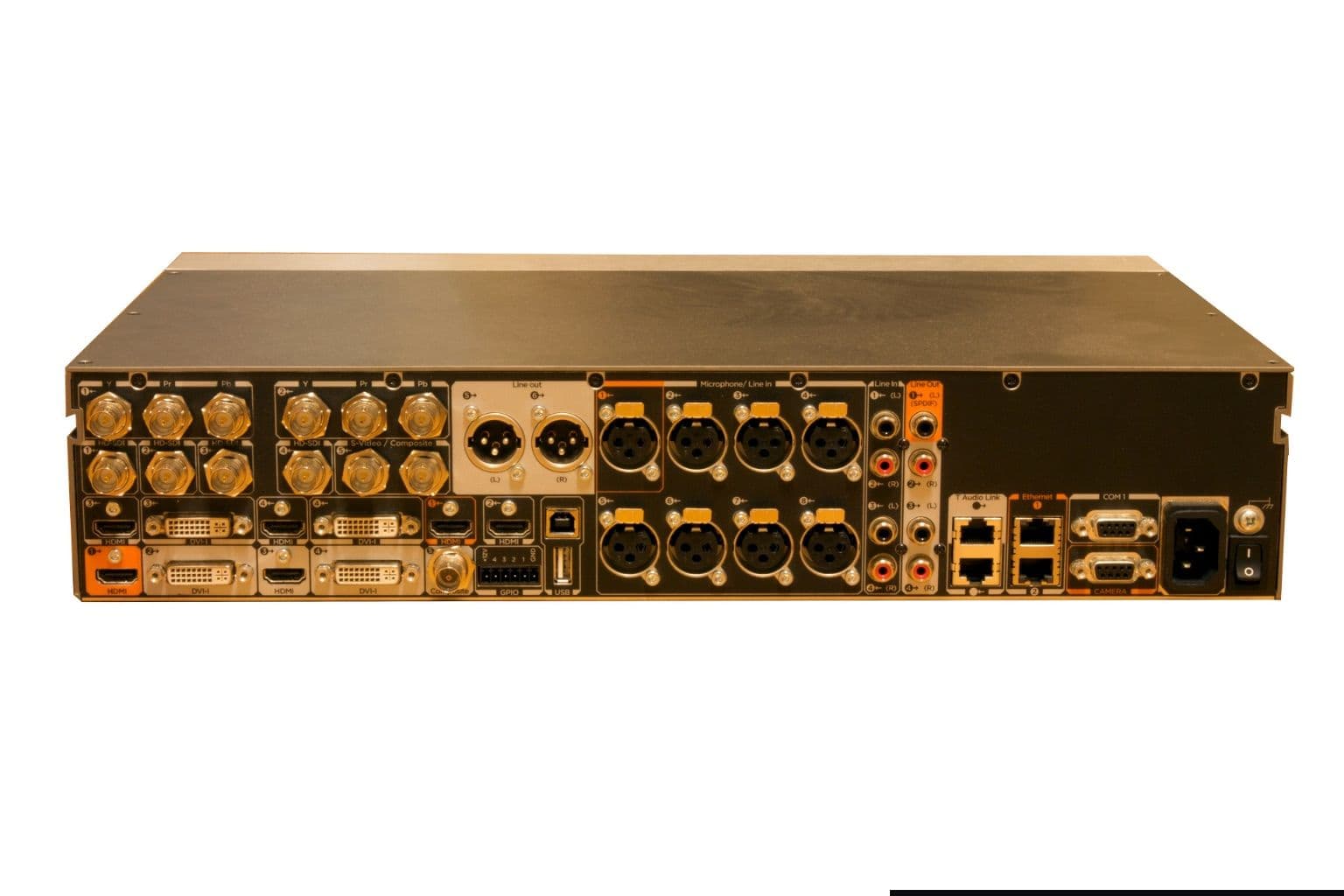
Polycom Video Conferencing in UK Organisations: Keeping Legacy Systems Safe or Moving On
Plenty of UK organisations still run Polycom video conferencing hardware that the manufacturer no longer supports. The HDX series and the RealPresence Group Series are the usual examples in meeting rooms, and VVX desk phones often sit alongside them. For each unit the choice is the same: keep it running on an isolated network, replace it, or retire the room. Which one is right depends on whether the device still gets security fixes, whether it can reach the internet, and whether you can still find spares. This guide shows how to check each of those for your own estate.
Which Polycom video conferencing models are already out of support
Polycom's products now sit with HP, which completed its acquisition of Poly in August 2022, so lifecycle notices for legacy Polycom kit are published, when they are published at all, through HP's support site. That makes some older models hard to pin down to an exact date. Here is what we could confirm from HP's own pages this month.
VVX desk phones: an official bulletin with dates
HP's Poly end of support bulletin for the VVX 300, 310, 400, 410, 500 and 600 is clear. These phones reached end of commercial sale on 30 September 2018 and both end of engineering support and end of service on 30 September 2023. The bulletin says UC Software 5.9.8 is the last release stream for them and that no features, bug fixes or future security fixes will be developed. Its answer to the question of a future security issue is simply that customers will need to upgrade to a supported model.
| VVX models | End of commercial sale | End of engineering support | End of service |
|---|---|---|---|
| VVX 300, 310, 400, 410, 500, 600 | 30 September 2018 | 30 September 2023 | 30 September 2023 |
The same bulletin names replacements: the Edge E220 or E350 for a VVX 300 or 310, the Edge E450 or E550 for a 400 or 410, and the Edge E550 or CCX 505, 600 or 700 for a 500 or 600.
HDX and RealPresence Group Series room systems
For room codecs we did not find a current HP bulletin with dates. What we did find is an answer on HP's own support community from September 2024, in which an HP Poly employee, replying as a volunteer, described the GroupSeries 310 as an end of support, end of life product to his knowledge and said the whole HDX series had been end of support for years. He directed owners to a local HP Poly reseller or to HP Poly support for an official position. Treat that as a strong signal rather than a formal notice, and get written confirmation for your own serial numbers before you plan around it.
How to confirm the status of your own units
An audit of a Polycom video conferencing estate takes an afternoon if you do it in this order:
- List every device. Walk the rooms. Record model, serial number, software version (shown on the system's web interface or information screen), IP address and room name.
- Check the serial against HP support. HP's support site and your HP Poly support contract holder can confirm warranty and service status per serial number.
- Record what each device talks to. Note whether it registers to an on premises call manager, dials out over H.323 or SIP to external parties, or joins a cloud platform through an interop service.
- Check the firewall. Ask whoever runs your firewall which inbound and outbound rules exist for those IP addresses. Legacy codecs that take external calls often had ports opened for them years ago and never closed.
- Note service contracts. HP's VVX bulletin defines end of service as the last day support is available unless there is an active service agreement, which is covered until its expiry date. Find out when yours ends.
If you have VVX phones as well as room systems, add them to the same list. The phones are easy to forget because they look like any other handset, yet they sit on the voice VLAN with a network stack that will not be patched again.
What "unsupported" means for security and Cyber Essentials
An unsupported codec still makes calls. The risk is that when a flaw is found in its software, nobody will fix it. A room system is a networked computer with a camera and microphones, so a compromised one is not a small problem.
For UK organisations that hold or are working towards Cyber Essentials, the scheme's own wording is the deciding factor. The Cyber Essentials Requirements for IT Infrastructure v3.2 (April 2025) says all software on in scope devices must be licensed and supported, and must be removed from devices when it becomes unsupported or removed from scope by using a defined sub set that prevents all traffic to and from the internet. It defines supported software as software a vendor has committed to support with regular vulnerability fixes, and it requires critical or high risk updates to be applied within 14 days of release.
The device classes the document lists for its update management control are servers, desktops, laptops, tablets, mobile phones, firewalls, routers and cloud services. It does not name video codecs, so whether your room systems are in scope is a conversation to have with your certification body before the assessment, not during it. What the requirements make plain is the shape of the two compliant answers: either the device is supported, or it lives in a segregated part of the network with no internet traffic in or out.
Keep, isolate or migrate: a decision for each room
Not every legacy room needs replacing this quarter. Work through each one with this table.
| Situation | Sensible option | What it takes |
|---|---|---|
| Codec only calls other internal rooms on a private call manager | Isolate and keep for now | Own VLAN, no internet route, firewall rules documented, admin password changed |
| Codec takes calls from external parties over the internet | Migrate | Open ports on an unsupported device are the risk you are trying to remove |
| Room now only joins Teams or Zoom through an interop service | Migrate when the interop contract renews | Native Teams or Zoom hardware removes the middle service |
| Room is rarely used | Retire | Remove the device, close its firewall rules, keep the display |
| Critical room, no budget this year | Isolate, buy spares, set a date | A documented plan with a replacement date shows the risk is managed |
Isolation is a real control, not a fudge, provided it is done properly. That means a dedicated VLAN, an access list that permits only the call manager and management station, no default route to the internet, and a changed admin password. Our article on firewall rules that quietly undo security is worth reading before you start, because old allow rules are where isolation usually fails.
Write the decision down for each room, with a named owner and a review date. An assessor, an insurer or a new IT manager will ask why an unsupported device is still on the network, and "we isolated it in March and replace it next April" is a far better answer than silence. It also stops the isolated room from quietly becoming permanent. If a room's users start asking for Teams or Zoom calls the old codec cannot make, that is usually the moment the business case for replacement writes itself.
Sourcing spares for Polycom video conferencing estates
If you keep legacy rooms running, the parts that fail are usually not the codec. Camera mounts get knocked, power supplies die, and the cables between camera and codec go missing during office moves. Those parts are still available on the secondary market, and some are in our own catalogue, such as the 12V 3A power adapter listed for EagleEye, HDX and Group terminals and the EagleEye third and fourth generation wall mount tray.
Three cautions when buying spares for kit that is out of support:
- Match the generation. EagleEye cameras changed across generations, and so did the cables and power. Send the part number from the label, not a description.
- Expect no manufacturer warranty. Spares for discontinued kit carry whatever cover the seller offers. Ask what that is in writing.
- Know where the part came from. Our guides to genuine and grey market hardware and refurbished versus new enterprise hardware explain the questions to ask.
Buying a spare codec to cannibalise is also reasonable for a critical room, as long as it is understood as a bridge to replacement and not a plan in itself.
Planning the replacement without repeating the problem
The lesson of the HDX and Group Series years is that video hardware outlives its software support. When you replace a room, build that into the purchase:
- Ask about the software lifecycle, not just the warranty. For Android based Teams devices, Microsoft's Learn page on Android version support says certification for Android 10 and 11 devices ended on 3 September 2026 and Microsoft support ends on 3 September 2027, while Android 12 and 13 devices are certified until 15 August 2028. Ask which Android version a new bar runs before you buy it.
- Reuse what still works. Displays, wall mounts, floor boxes and structured cabling often outlast two generations of codec.
- Plan the network once. A room VLAN and PoE capable switch ports will serve the next system too.
- Record the end date on day one. Put the expected certification and support dates in your asset register, so the next refresh is a planned project rather than a surprise. A spreadsheet with model, serial, software version and those two dates is enough.
When a room is retired, wipe it before it leaves the building. Legacy codecs can hold directory entries, call history and stored credentials for call managers. Reset to factory defaults, remove it from the call manager, delete its firewall rules, and dispose of it through a route that handles electrical waste properly.
Buying replacement kit from Dubai for a UK site
Codeeo Tech supplies from Dubai, with no UK office or UK stock, so replacement hardware ships to you and is imported. GOV.UK states that VAT is charged on most goods sent to Great Britain from abroad, calculated on the value plus postage, insurance and any duty. When we checked the UK Trade Tariff this month, commodity code 8517 62 00 00 showed a third country duty of 0% and import VAT at 20%; your customs agent confirms the right code for each item. GOV.UK's WEEE guidance treats a business that imports electrical equipment into the UK on a commercial basis as a producer with registration duties, which matters if you resell rather than use the kit yourself.
FAQ: legacy Polycom video conferencing
Is the Polycom HDX still supported?
We found no current HP support for HDX. An HP Poly employee on HP's support community stated in 2024 that the whole HDX series had been end of support for years. Confirm your own units with HP Poly support.
Can we keep using a RealPresence Group 500?
It will keep working, but plan as if it gets no further security fixes. Isolating it on a VLAN with no internet traffic is the safest way to keep it running while you budget a replacement.
When did VVX 300 to 600 phones lose support?
HP's bulletin gives 30 September 2023 for both end of engineering support and end of service, with UC Software 5.9.8 as the final release.
Does an unsupported codec fail Cyber Essentials?
The v3.2 requirements say in scope software must be supported, or removed from scope in a sub set with no internet traffic. Whether a codec is in scope is a question for your certification body.
Can Codeeo Tech supply Polycom spares to the UK?
We can quote the parts in our catalogue, and source others on request, with delivery to a UK address. Spares for discontinued products do not carry an HP warranty.
What to send with a Polycom video conferencing enquiry
- The model and serial number of each system, and the part number of any spare you need.
- The software version each unit runs.
- Whether you want spares to keep rooms going, replacement systems, or both.
- For replacements: room size and the platform the room must join.
- The UK delivery address and who will act as importer.
Every item in the Codeeo Tech catalogue is priced through Add to Quote. Send that list through our contact page and we will reply with what we can supply and an honest note on the support position of each part.
Cover photo: TANDBERG C90 003, via Wikimedia Commons (Public domain).

