Stacking or Chassis? Growing a Switch Estate Without Rebuilding It
For most UAE offices with one or two comms rooms and fewer than about 380 wired ports per room, a stack of fixed switches is the right way to grow: you add a box when you add desks, and the whole stack is still managed as one switch. A modular chassis earns its price when a single room has to carry more ports than a stack allows, or when the business cannot accept the whole closet going dark during a software upgrade. The mistake that forces a rebuild is rarely stack versus chassis. It is buying a first switch that cannot stack with the model you will need in two years.
If you are still choosing port counts and PoE budgets, start with our guide to choosing a network switch for a Dubai office. This piece assumes you already need managed switching, as explained in managed or unmanaged switch, and deals only with how the estate grows.
What stacking actually does
Stacking joins several fixed switches with dedicated links so they share one control plane, one configuration and one management address. Each vendor names it differently. Cisco calls it StackWise on the Catalyst 9300, HPE Aruba calls it Virtual Switching Framework (VSF) on the CX 6200 and 6300, and Juniper calls it Virtual Chassis on the EX range. The logic is the same: one member is in charge, one member stands by, and the rest behave like line cards.
Cisco's stack management guide for the Catalyst 9300 describes the election in plain order: the current active switch keeps its role, then the highest configured priority wins, then the shortest start-up time, then the lowest MAC address. If the active switch fails, the standby takes over and a new standby is elected, and ports on the other members are not affected. Aruba's VSF FAQ for AOS-CX 10.14 works the same way with different words: member 1 is the conductor, you configure exactly one secondary member as standby, and every other member has no control plane of its own.
How far each platform stretches
| Platform | Stack technology | Maximum members | What it will not mix with |
|---|---|---|---|
| Cisco Catalyst 9300 and 9300X | StackWise-480 (480 Gbps) | 8 | 9300L fixed uplink models |
| Cisco Catalyst 9300L and 9300LM | StackWise-320 (320 Gbps) | 8 | 9300 modular uplink models |
| HPE Aruba CX 6300 | VSF over 10G, 25G or 50G links | 10 | CX 6200, and some 6300 SKUs only stack with each other |
| HPE Aruba CX 6200F | VSF over 1G or 10G links | 8 | CX 6300 |
| Juniper EX4400 | Virtual Chassis | 10 | Any non-EX4400 switch |
Sources: Cisco Catalyst 9300 Series data sheet (updated 23 September 2026), HPE Aruba AOS-CX 10.14 VSF FAQ, and Juniper's EX Series Virtual Chassis overview, all opened on 29 September 2026.
The compatibility trap that forces a rebuild
The right column of that table is where growth plans fail. A business in JLT buys two Catalyst 9300L switches because the fixed uplinks were cheaper on the day. Two years later it needs a switch with modular uplinks for a 25G link to a new server rack. Cisco's data sheet is explicit that 9300L and 9300 modular models cannot share a stack, so the new switch becomes a second island with its own management, or the original pair is replaced. The same happens on Aruba if a 6200F stack meets a requirement only the 6300 meets, because Aruba's FAQ says a VSF stack cannot mix the two families.
The practical rule: pick the family you expect to be buying in year three, not the cheapest box for year one. Ask your supplier which exact SKUs share a stack before the first order, and write it into your asset register so the next purchase matches.
Where a stack is weaker than it looks
One control plane means one failure domain
Redundant hardware does not protect you from shared software. Every Cisco stack member must run the same IOS XE version and licence level, and every VSF member runs the conductor's firmware. A software defect or a bad configuration push reaches all eight or ten boxes at once. That is a trade you accept for single-point management, and it is why the upgrade story matters more than the port count.
Upgrades are the real test
Aruba's VSF FAQ describes the upgrade plainly: the image is copied to the conductor, synced to the members, and then the stack is rebooted. For a closet serving a whole floor of a Business Bay tower, that is every desk phone, access point and camera on the floor down together, so upgrades belong in a Friday night window. Cisco's 9300 data sheet states that its extended fast software upgrade keeps traffic impact under 30 seconds for standalone and stacked switches. Juniper documents a nonstop software upgrade for EX Virtual Chassis that upgrades members one at a time, but only if the members are cabled in a ring, the primary and backup sit next to each other in that ring, and linecard roles are preprovisioned. A device plugged into a single member still loses its port while that member reboots, which no stack feature can hide. Our piece on firmware updates that break the network covers the change process around this.
Cables, rings and splits
Cisco StackWise cables come in 0.5, 1 and 3 metre lengths according to the Catalyst 9300 hardware installation guide (May 2026), so a Cisco stack lives in one rack or two adjacent racks. Aruba VSF runs over ordinary 10G, 25G or 50G Ethernet, which lets members sit in different rooms over fibre. That flexibility has a cost. Cisco's own guide warns that if a stack partitions into two live stacks, both can claim the same IP address and cause a conflict on your network. A fibre cut between two floors in a DIFC office turns a convenient design into two switches arguing over one address, so configure split detection and cable the stack as a closed ring. Cisco notes that a broken ring halves stack bandwidth, which is a useful early warning if your monitoring watches stack port state.
What a chassis gives you instead
A modular chassis puts supervisors, line cards and power supplies in one frame. Cisco's Catalyst 9400 data sheet (updated 1 September 2026) lists 4, 7 and 10 slot models, up to 384 ports in the largest chassis, 1+1 supervisor redundancy, and up to eight power supply bays running N+1 or N+N. Its headline advantage over a stack is in-service software upgrade, which Cisco describes as upgrading a complete image with less than 200 milliseconds to no disruption to the network.
Here is the part vendor brochures skip. Eight 48-port Catalyst 9300 switches in a full stack give 384 access ports, the same figure as a fully loaded C9410R. On port count alone, a chassis only wins when one room needs more than a full stack. The chassis earns its place on upgrade behaviour, on having one set of power supplies to size and feed, and on adding capacity by sliding in a line card rather than finding rack space and another stack cable. The costs are a large upfront frame, all your eggs in one metal box, and a single concentrated heat load. In a Jebel Ali warehouse comms room that already struggles in August, one chassis drawing from several large supplies needs its cooling and UPS planned before the frame arrives, not after.
The middle path: two boxes acting as one core
Most growing businesses end up with neither a giant stack nor a chassis at the edge. They put a stack in each floor closet and join the floors to a pair of core switches that behave as one. Cisco does this with StackWise Virtual, which its 9400 data sheet describes as joining two chassis into a single logical switch. HPE Aruba does it with Virtual Switching Extension (VSX), which HPE's AOS-CX 10.15 documentation describes as binding two switches of the same model to act as one device at layer 2, with a dual control plane, synchronised configuration and a live software upgrade with near zero downtime. Because each VSX node keeps its own control plane, a software fault on one does not automatically take down the other, which answers the single failure domain problem a stack has.
A decision you can make today
- One room, under about 200 wired devices, weekend upgrade windows acceptable: a stack of two to four switches, ringed, with a configured standby. Leave rack space for the next member.
- Several floors or buildings: a stack per closet, dual fibre uplinks from each, and a two-switch core using StackWise Virtual or VSX.
- One room that will pass a full stack, or zero tolerance for upgrade outages: a chassis with dual supervisors, with power, cooling and UPS sized for it first.
- In every case: confirm the stacking family and exact SKUs before the first purchase, and plan the upgrade process before you plan the port count.
Codeeo Tech supplies switching from Cisco, HPE Aruba and Juniper, among other brands, to businesses across the UAE. Every product is priced on request. Send the switch models you already run, your port count per comms room and how many you expect in three years through our contact page, and we will quote hardware that stacks with what you have.
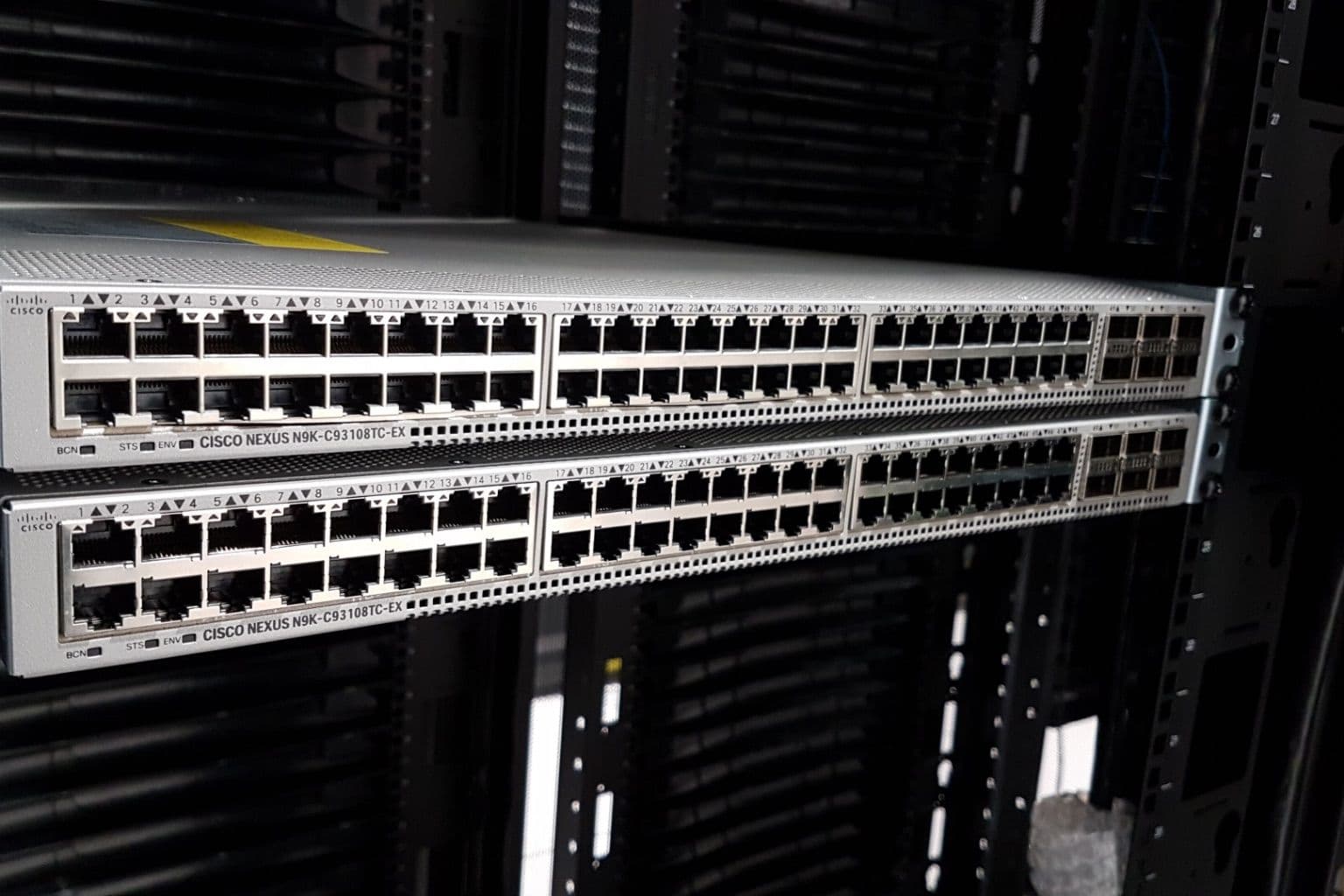
Cover photo: Summit Computer Room Installation (rubin-2018-05-02-192548) by Rubin Observatory/NSF/AURA, via Wikimedia Commons (CC BY 4.0).

