A Practical IT Asset Register for a UAE SME
For a company of 20 to 200 people, IT asset management starts as one table: a row for every device that stores or moves data, and roughly fifteen columns covering what it is, where it sits, who owns it, when its cover ends and how it will leave the business. Build the first version from purchase invoices and a walk through the comms room, review it twice a year, and tie every row to two dates most offices never record, the warranty end and the manufacturer's last date of support.
Software can come later. An accurate spreadsheet beats a discovery tool nobody reconciles.
What belongs on the register
The CIS Critical Security Controls, version 8.1, give a useful minimum. Safeguard 1.1 asks for an accurate, detailed and up to date inventory of all enterprise assets that can store or process data: end user devices including laptops and phones, network devices, servers, and non computing or IoT devices. It sits in Implementation Group 1, the tier meant for the smallest organisations.
That IoT line is where Dubai office registers usually fall short. A floor in Business Bay or JLT typically has an NVR and cameras, IP phones, a meeting room codec, access control panels and printers, often on the same network as the finance laptops. If it plugs into a switch port, it gets a row.
Its minimum fields are network address if static, hardware address, machine name, enterprise asset owner, department, and whether the asset is approved to connect. Review is bi-annual, or more frequent.
The columns that earn their place
The CIS fields describe a device on the network. A UAE business also needs commercial and lifecycle columns, because auditors, the tax authority and whoever renews a support contract will ask for them:
| Column | Why it matters | Where to get it |
|---|---|---|
| Asset tag | Your own ID that survives a serial number change after a repair | Printed label you apply |
| Manufacturer part number | Identifies the exact model and licence tier for quotes and support | Invoice line or chassis label |
| Serial number or Service Tag | The key every vendor warranty lookup uses | Device label or management interface |
| Hostname, MAC address, static IP | The CIS 1.1 fields, used to match unknown devices on the network | Switch MAC tables, DHCP leases |
| Location | Building, floor, room and rack unit, so a remote engineer can find it | Site walk |
| Owner and department | A named person, not "IT" | HR list, signed handover |
| Purchase date, invoice number, supplier | Links the device to the accounting record | Accounts payable |
| Warranty or support contract end | Tells you whether a failure is a free replacement or a purchase | Vendor warranty lookup, contract schedule |
| Vendor end of sale and last date of support | Tells you when the device can no longer be covered at any price | Manufacturer end of life bulletin |
| Firmware or OS version | Shows which units missed a security update | Management interface |
| Status | In use, spare, out for repair, awaiting sanitisation, disposed | Updated on each change |
| Disposal record reference | Proves the data left with the device was dealt with | Sanitisation certificate |
Why the invoice columns decide how long rows must live
Article 56 of Federal Decree-Law No. 47 of 2022, the UAE Corporate Tax Law, requires a Taxable Person to keep all records and documents that support its tax return for seven years following the end of the Tax Period they relate to. The Federal Tax Authority repeated the seven year rule in a press release dated 27 August 2025.
Hardware is usually depreciated over several years, and its invoice supports every return in which that depreciation appears. Suppose your accountant depreciates a server bought in 2026 over five years and your tax period is the calendar year. The purchase record then supports returns up to the 2030 period, and seven years after the end of 2030 takes you to the end of 2037. Confirm the actual periods with your accountant, but the rule holds whatever the numbers: never delete a retired device's row. Mark it disposed and keep the invoice reference.
Warranty end and last date of support are different dates
Warranty end is about your contract. Last date of support is about the manufacturer, and once it passes, no contract can be bought or renewed. Cisco's end of life policy defines End of Sale as the last date to order, and Last Date of Support as the last date to receive support under an active contract, with hardware getting five years of TAC support and replacement parts after End of Sale.
The Catalyst 2960-X family shows how the milestones stack up. Cisco's bulletin, announced 31 October 2020, lists these hardware dates:
- End of Sale: 31 October 2022.
- End of software maintenance releases: 31 October 2023.
- End of new service attachment: 31 October 2023, so a unit with no contract by then cannot get one.
- End of service contract renewal: 29 January 2027.
- End of vulnerability and security support, and Last Date of Support: both 31 October 2027.
As of September 2026, a 2960-X stack has already stopped getting routine software releases and its renewal window closes in January 2027. If the register shows those serials, budget the replacement now rather than after a failure in August, when the comms room is hottest. Cisco's bulletin points to the Catalyst 9200L series as the migration path, and our guide to choosing a network switch for a Dubai office covers what to check when you size the replacement.
For the warranty column, use the manufacturer's own lookup. Dell's warranty status article, last modified 1 September 2026, has you enter the Service Tag to see status and expiry date. Record the date you checked, because cover dates change when contracts are extended.
Building the first version in five working days
- Invoices. Ask accounts for every IT hardware purchase in the last seven years. One row per unit: an invoice line for 12 laptops is 12 rows.
- Site walk. Visit every room with a label printer, record the rack unit of everything in the cabinet, and photograph server labels, which are often unreadable once the unit is on its rails.
- Network export. Pull the MAC address tables from the switches and the DHCP lease list from the firewall or server. Anything on the network with no row is either missing from the register or should not be there. CIS Safeguard 1.2 expects unauthorised assets to be removed, denied or quarantined on a weekly basis.
- Dates. Run the warranty lookups and find the end of life bulletin for each model. One bulletin covers every unit of that model.
- Owners. Put a named person against every row. Laptops go to the user with a signed handover. Shared kit such as the NVR goes to the manager of that function.
Keeping it true after the first month
Registers decay through three events, and each needs a rule:
- New purchase: the row exists before the device is connected. Ask for part numbers and serials on the delivery note so rows are created at goods receipt.
- Staff exit: the laptop status changes the day it is handed back, and the handover is signed before the final settlement is released.
- Repair or replacement: a replacement unit arrives with its own serial number. Update the row the day it is fitted, or next year's warranty lookup will return a device you no longer own. This is why the asset tag, not the serial, is the permanent key.
Then hold the bi-annual review CIS asks for. Putting one in May leaves time to act on anything out of cover before summer heat stresses fans, drives and UPS batteries.
Disposal: the column most registers skip
A laptop sold to an employee or a server traded in still carries data. NIST Special Publication 800-88 Revision 2, published in September 2025, sets out three sanitisation methods. Clear protects against simple recovery through the device interface. Purge makes recovery infeasible even with state of the art laboratory techniques while leaving the media reusable. Destroy achieves the same and leaves the media unusable. NIST says purge should be used instead of clear when possible.
Appendix C of the same document gives a sample Certificate of Sanitization. Its fields map straight onto a register row: vendor and make, model number, serial number, media type, the method and technique, the tools used including version, verification, and the destination, from internal reuse to a recycling facility or the manufacturer. Put each certificate's reference in the disposal column. If you are deciding whether to buy refurbished units in its place, see our comparison of refurbished and new enterprise hardware.
Spreadsheet or software
A shared spreadsheet with a drop-down for status and a filter on warranty end is enough while one person can review every row in an afternoon. Move to a tool when that stops being true, or when you adopt Implementation Group 2: Safeguard 1.3 calls for an active discovery tool run daily, and Safeguard 1.4 for DHCP logging reviewed weekly. No scan fills in the owner, invoice or disposal columns.
When a switch or server reaches its last date of support, the part number in its row is the starting point for a replacement quote. Codeeo Tech quotes on request rather than publishing prices, so send part numbers from the register through the contact page, browse the Cisco range or the Dell EMC range, and check the result with our guide to reading a hardware quotation line by line.
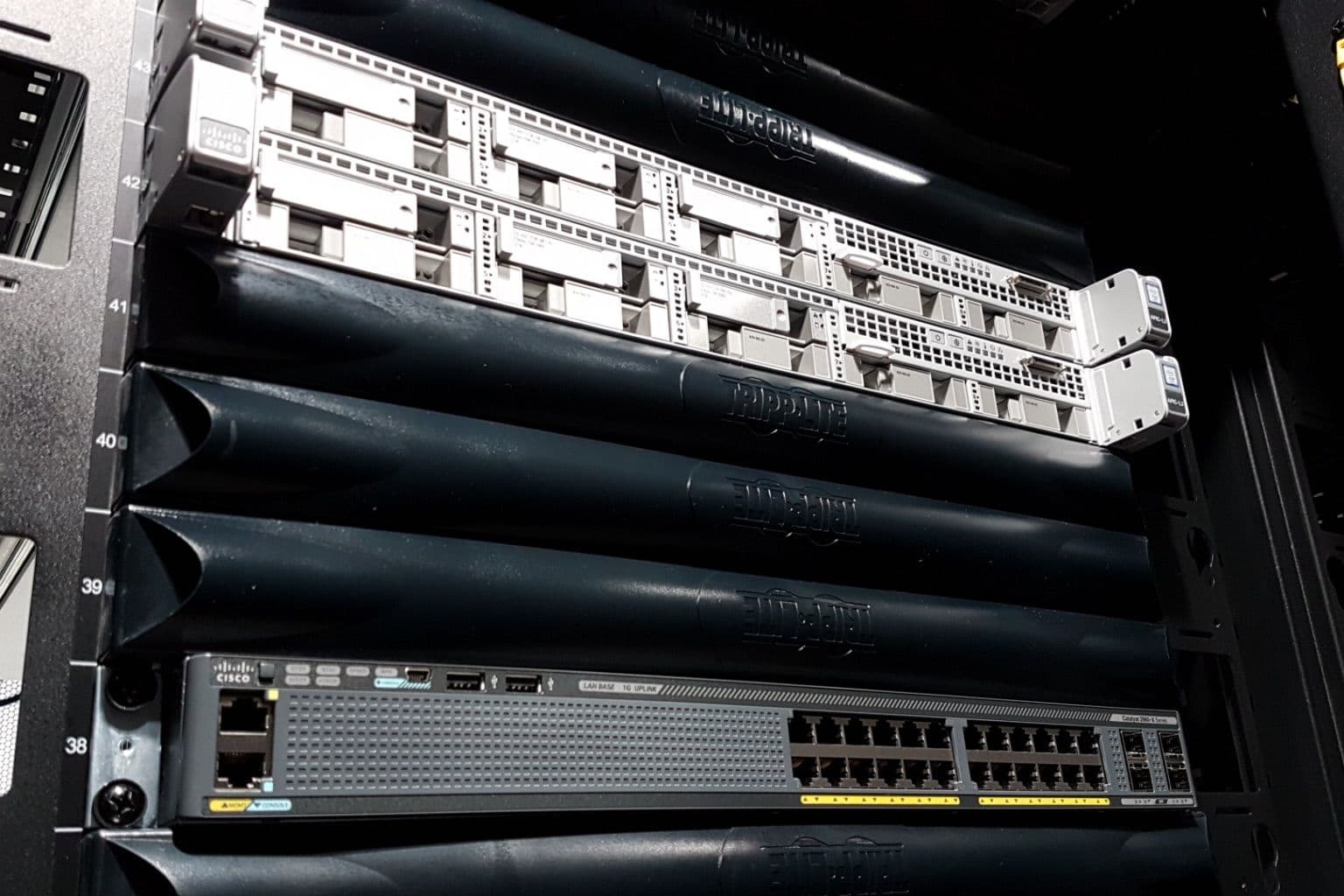
Cover photo: Installation of the first summit network equipment May 2018 (rubin-2018-05-02-192510) by LSST Project/NSF/AURA, via Wikimedia Commons (CC BY 4.0).

