RAID Levels in Plain English, and Why RAID Is Not Backup
RAID keeps a server running when a drive dies. That is the whole job. RAID 1 mirrors two drives, RAID 5 and RAID 6 spread parity across the set so one or two drives can fail, RAID 10 stripes across mirrored pairs, and RAID 0 protects nothing at all. None of them keeps an older copy of your files, so deletion, ransomware, a failed controller or a fire takes the array and everything on it together.
The drive counts and definitions below come from Dell's PowerEdge RAID Controller 11 User's Guide (PERC H755, H750, H355 and H350), read on 28 September 2026. The failure figures come from Backblaze's Drive Stats for Q1 2026, published 9 July 2026, and the Seagate Exos X24 data sheet DS2080-2307US. The backup rules come from CISA. Where a number is our own arithmetic, we say so.
Where the name came from
RAID started as a cost argument. In December 1987 David Patterson, Garth Gibson and Randy Katz at UC Berkeley published technical report UCB/CSD-87-391, "A Case for Redundant Arrays of Inexpensive Disks". They proposed five levels and compared them against an IBM 3380 and a Fujitsu Super Eagle, the large single drives of the day. The point was to get performance and reliability out of cheap PC disks. Nothing in that framing was about keeping history, and nothing in a modern controller has changed that.
The levels, one line each
Dell's PERC 11 guide gives the definitions and the drive limits. Here they are in plain terms, with the capacity you would actually get from six 24 TB drives, which is our arithmetic.
| Level | What it does | Drives that can fail | Minimum drives (PERC 11) | Usable from 6 x 24 TB |
|---|---|---|---|---|
| RAID 0 | Stripes data, no redundancy | None | 1 | 144 TB |
| RAID 1 | Mirrors one drive onto another | 1 of the 2 | 2 (maximum 2) | Not applicable |
| RAID 5 | Stripes with one distributed parity block | 1 | 3 | 120 TB |
| RAID 6 | Stripes with two distributed parity blocks | 2 | 4 | 96 TB |
| RAID 10 | Stripes across mirrored pairs | 1 per mirrored pair | 4 | 72 TB |
| RAID 50 / 60 | RAID 0 striped across RAID 5 or RAID 6 groups | 1 or 2 per group | 6 / 8 | Depends on grouping |
Two details in that table cause most of the arguments we hear. RAID 10 survives a second failure only if it lands in a different mirrored pair; lose both halves of one pair and the whole volume is gone. And Dell's own wording for RAID 6 is that it protects against double disk failures "and failures while a single disk is rebuilding", which is the real reason to pay for the second parity drive.
Why rebuilds are the dangerous hours
An array with a failed drive is running with less protection than you bought, and it stays that way until the replacement is fully rebuilt. The Seagate Exos X24 data sheet lists a maximum sustained transfer rate of 285 MB/s at the outer edge of the platter. Writing a full 24 TB at that best-case speed takes about 23 hours, by our arithmetic. Real rebuilds run slower, because inner tracks are slower and the server is still serving users while the controller works, so plan for more than a day.
During those hours a RAID 5 set has no redundancy left. To rebuild one drive in a six-drive RAID 5 of 24 TB disks, the controller must read all five survivors end to end: 120 TB, or about 960 trillion bits. The same data sheet rates nonrecoverable read errors at less than one per 10E15 bits read, which is 1,000 trillion bits. That is a ceiling Seagate commits to, not a prediction, and most drives do better. Still, a single RAID 5 rebuild on drives this size reads nearly as many bits as the ceiling allows per error, and with no parity left an unreadable sector cannot be reconstructed. RAID 6 still has its second parity block at that moment and can.
Our practical rule for UAE offices follows from that. For large hard drives, RAID 6 or RAID 10. RAID 5 is still reasonable on a small set of SSDs, where rebuilds finish in hours, not days. RAID 0 belongs only on scratch data you can regenerate, such as a render cache in a Dubai Design District studio.
How often drives actually fail
Backblaze's Q1 2026 report covers 341,263 hard drives and gives a quarterly annualized failure rate of 1.24% and a lifetime rate of 1.39%. Its drives over 20 TB ran at 0.85% as a pool. Seagate rates the Exos X24 at 0.35% AFR at full 24x7 operation.
Take the Backblaze 1.24% figure and apply it to a six-drive server, and the chance of at least one failure in a year is about 7%, rising to roughly 31% over five years. That arithmetic is ours, and it assumes a data centre environment. A comms room in a JLT or Business Bay fit-out where the split unit trips in August is not that environment, which is why we keep pointing people at cooling and UPS protection before they argue about RAID levels. The takeaway is simple: over a normal server life, you should expect to replace a drive, and your RAID level decides whether that is a non-event or an outage.
What RAID does not protect you from
RAID copies every write to every member instantly. That is exactly the problem when the write is wrong. Here is the list of things that go straight through any RAID level:
- Deletion and overwrites. A user who clears a finance folder in DIFC on Thursday afternoon has cleared it on every drive in the set at the same moment.
- Ransomware. Encrypted files are written to the array like any other data. CISA's #StopRansomware Guide warns that many ransomware variants also look for accessible backups to delete or encrypt them, which is why it says backups should be offline and encrypted.
- Controller or firmware faults. RAID trusts the controller. If a failing controller or a bad firmware update writes corrupt blocks, it writes them to every member, and the parity faithfully protects the corruption.
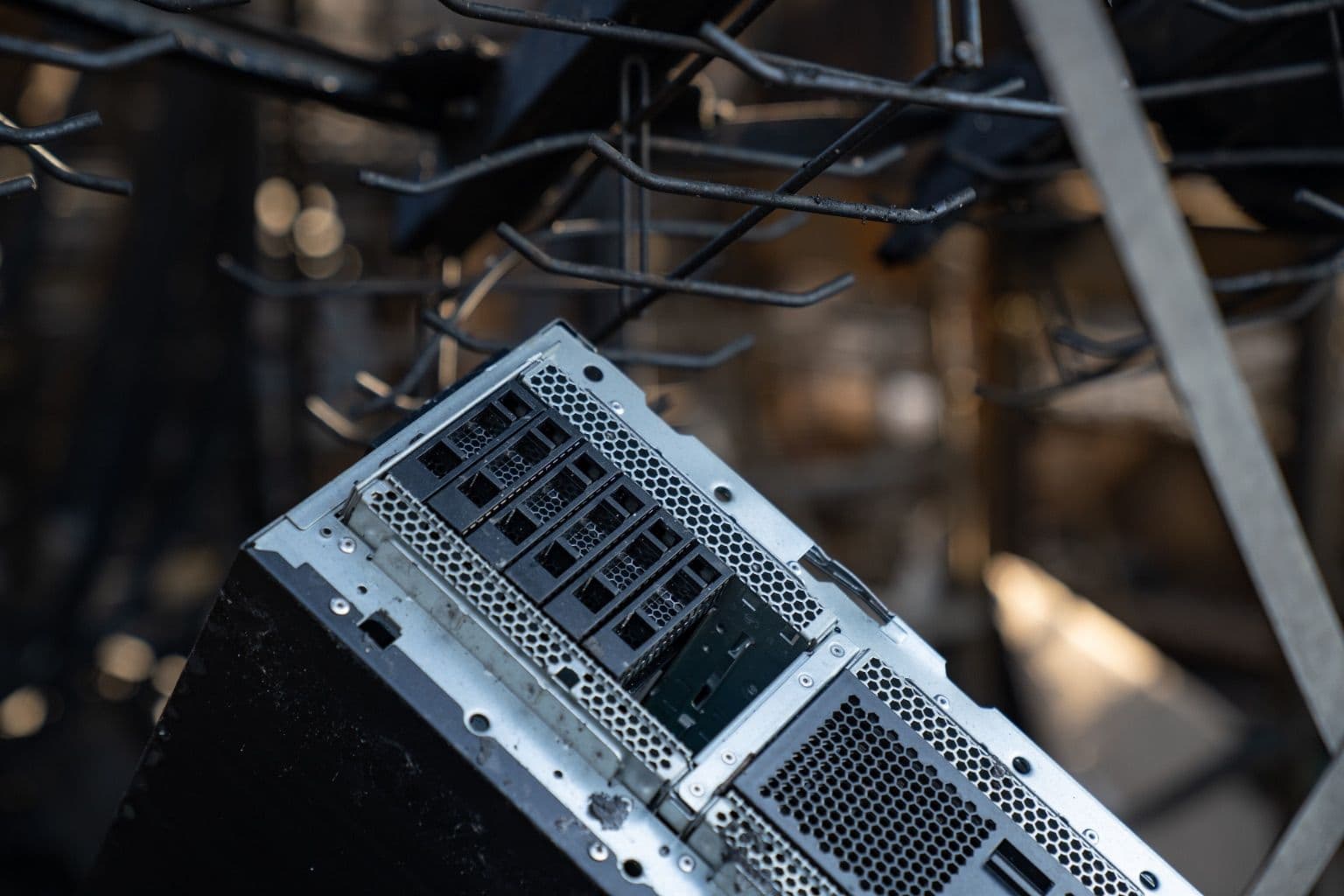
- Fire, water and theft. Every drive in the array sits in the same chassis, in the same room, on the same power circuit. The cover of this article is a RAID storage server after a fire. Its drives were redundant with each other and burned together.
What backup means, per CISA
CISA's "Data Backup Options" paper, produced by Carnegie Mellon University for US-CERT in 2012, sets out the 3-2-1 rule: three copies of any important file (one primary and two backups), on two different media types, with one copy stored offsite. CISA's current guidance for small and medium businesses adds two tests worth writing into any IT policy: restore data both fully and partially, and be able to roll back at least seven days.
Mapped onto a typical 20 to 50 person Dubai office, that means:
- The server's RAID array holds the primary copy. It is not a backup of itself.
- A second copy on separate hardware in the same building, such as a NAS or a backup server in another rack, gives fast restores of single files.
- A third copy leaves the building: a cloud backup service or rotated encrypted drives kept at another site. An office in Dubai Silicon Oasis with a second branch in Abu Dhabi already has an offsite location.
- At least one copy cannot be reached from the production network, whether that is an offline drive or an immutable cloud tier, to satisfy CISA's offline requirement.
- A restore is actually performed on a schedule, and someone signs the result.
The last step is where most small businesses fail. A backup job that reports success every night for two years proves the job ran; it does not prove anyone can bring the ERP database back on a Sunday morning.
Choosing a level when you order a server
Decide the RAID level before the quote, because it changes how many bays and drives you order. Six bays for RAID 6 is a common starting point for a file and application server; four SSDs in RAID 10 suits a database or a virtualisation host where write latency matters. Read our note on choosing enterprise drives first, because endurance class matters as much as the RAID level on SSDs. Then budget for the backup target as a separate line on the same order, not as a later project that never gets approved.
Codeeo Tech supplies servers, controllers and drives from Building A1, IFZA Business Park, Dubai Silicon Oasis. Nothing on the store carries a published price; every item is quoted, because the drive count and RAID layout change the configuration. Browse Dell EMC, HPE or Supermicro, or send the usable capacity you need and the RAID level you have chosen through the contact page, and ask for the backup hardware on the same quote.
Cover photo: RAID Storage Server in a Fire (50783434861) by Tony Webster from Minneapolis, Minnesota, United States, via Wikimedia Commons (CC BY 2.0).

