How Long Should a Business Server Last in the UAE?
Plan on five years of front line service from a business server, and put the replacement in the budget for year five. The machine itself will often keep running longer. What actually ends its useful life is whichever of four clocks runs out first: the vendor's hardware support, the operating system's security updates, the capacity your workload needs, and the wear that a hot, dusty UAE comms room puts on fans, drives and power supplies. Age on its own tells you very little. A three year old server on an operating system that loses support in January 2027 is closer to the end than a five year old one that is fully covered.
Clock one: vendor hardware support
Hardware support means guaranteed parts and an engineer when a disk backplane or a system board fails. Once it stops, a failed component becomes a search on the second hand market, and in Dubai that can mean days with a line of business system down. The three vendors most UAE offices buy from count this clock differently, and the difference matters more than most buyers realise.
Cisco counts from the end of sale
Cisco's published End of Life policy gives five years of TAC support for hardware from the End of Sale date. Cisco normally announces end of sale about six months ahead, and the last ship date falls three months after it. The Last Date of Support is the hard stop. The consequence is simple arithmetic: a model bought in its first year on sale can be supported for far longer than five years from your purchase date, while the same model bought in its final month gets close to five years and no more.
HPE also counts from the end of sale
HPE's own end of life definitions describe an End of Engineering Support date, after which hardware and software engineering support stops, and state that it typically falls about five years after End of Sale. HPE notes it may extend contract availability for business reasons. For a specific ProLiant, the reliable answer comes from entering its serial number in the HPE Support Center, and our piece on refurbished versus new enterprise hardware explains why a three year old unit bought today has already used much of that window.
Dell counts from the ship date
Dell works differently. A Dell moderator on the company's own support community wrote on 2 October 2025 that Dell stopped publishing end of life details for PowerEdge around the 11th or 12th generation, and that a server can be warrantied up to 5 years from the ship date, with extension possible depending on parts availability. Dell's advice was to enter the service tag on its support site for system specific dates. So every PowerEdge gets the same clock, regardless of how late in the model's sale run you bought it.
What to do with this: before you approve a server quotation, ask whether the model has an announced end of sale date. A late cycle model is a fine purchase for a three year role, and a poor one for a seven year plan.
Clock two: the operating system
This is the clock catching UAE businesses out right now. Microsoft's lifecycle page lists Windows Server 2016 extended support ending on 12 January 2027, three months from the date of this article. Windows Server 2019 follows in January 2029, with mainstream support already ended in January 2024. A server that shipped with 2016 is therefore facing two deadlines at once: its operating system is about to stop receiving security fixes, and if it was bought in 2017 or 2018, a standard five year hardware warranty has already run out.
Microsoft has announced paid Extended Security Updates for Windows Server 2016 starting on 12 January 2027. According to Microsoft's ESU page, eligible customers with Software Assurance under an Enterprise Agreement can buy them through Azure Arc on a pay as you go subscription, while the classic route through Volume Licensing is bought in yearly increments. Microsoft's own February 2026 announcement frames this as time to upgrade to Windows Server 2025 or migrate. Treat ESUs as a bridge for a planned move, not a way to avoid one, because they cover security updates only and do nothing for the hardware underneath.
There is a trap with in place upgrades too. Before planning Windows Server 2025 on an existing box, check the vendor's operating system support matrix for that exact model. If that model is not listed for the new release, you are on your own with drivers and firmware, which is exactly where upgrade weekends go wrong.
Clock three: capacity
Most SME servers in the UAE do not die. They get outgrown. The typical pattern is a host bought for a domain controller and a file share, which then picks up an accounting database, a CCTV video management system and two more virtual machines for a new branch in Abu Dhabi. The questions to ask in year three are concrete: are any memory slots free, are any drive bays empty, and is the RAID controller able to take larger drives. If all three answers are no, the server's capacity clock has stopped even if its warranty has not. Our guide on how much memory a virtualised office server needs shows how to read current usage before deciding.
Capacity is also the one clock you can buy more time on cheaply, if you planned for it. A server specified with half its memory slots and half its drive bays empty can grow in year three for the price of parts. One that was bought fully populated to win a lower headline quote cannot.
Clock four: the room it lives in
Fans, power supplies, drives and RAID cache batteries are wear parts, and heat is what wears them. A server in a properly cooled rack in Jebel Ali will outlast an identical one in a cupboard in a Business Bay office where the building switches the air conditioning down on Friday evening. Fit out dust in JLT and Dubai Silicon Oasis towers, where neighbouring units are being refurbished almost constantly, clogs intake filters and pushes fan speeds up. If your server room runs warm, expect component failures earlier in the server's life, and read our notes on cooling a comms room through a Dubai summer before blaming the hardware.
The four clocks side by side
| Clock | Where to check it | What happens when it runs out |
|---|---|---|
| Cisco hardware | Model's End of Sale bulletin, Last Date of Support | No TAC support or replacement parts after five years from end of sale |
| HPE hardware | HPE Support Center, by serial number | Engineering support ends, typically about five years after end of sale |
| Dell hardware | Dell support site, by service tag | Warranty up to five years from ship date, extension subject to parts |
| Windows Server | Microsoft lifecycle pages | 2016 stops receiving free security updates on 12 January 2027 |
| Capacity | Free memory slots, drive bays, controller limits | New workloads cannot be added without a second machine |
| Environment | Inlet temperature logs, fan speed alerts, filter condition | Fans, drives and power supplies fail earlier than the warranty assumes |
Running past support: what honestly changes
Keeping a server beyond its support date is a legitimate decision, as long as it is a decision. Third party maintenance companies sell cover for hardware past its vendor dates. What you give up is firmware and BIOS security fixes, guaranteed parts, and the vendor's help when a problem turns out to be a bug rather than a broken part.
The sensible middle path is demotion. An out of support server makes a reasonable backup target, a test host or a cold standby. It should not be the domain controller, the server holding finance data, or anything reachable from the internet. Our view is that a server should earn a second life in a role where its failure is an inconvenience, not an outage.
A replacement checklist for this quarter
- Write down every server's serial number or service tag and look up its warranty end date on the vendor's site.
- Check whether the model has an end of sale announcement, and note the five year support date that follows from it for Cisco and HPE.
- Record the operating system version. Anything on Windows Server 2016 needs a plan before 12 January 2027.
- Measure memory and storage use over a normal week, including month end, rather than reading a single snapshot.
- Decide per server: keep, demote to a non critical role, or replace. Schedule cutovers for the cooler months, when comms rooms have headroom and fewer staff are on summer leave.
Where Codeeo Tech fits
Codeeo Tech supplies servers from HPE, Dell EMC, Lenovo and Supermicro from Dubai Silicon Oasis. Everything is quoted per configuration rather than list priced, so the fastest route is to send the service tags of the machines you are replacing along with the usage figures from the checklist above. Browse HPE servers and Dell EMC servers, or contact us with the details. We supply the hardware; migration and installation sit with your IT team or integrator.
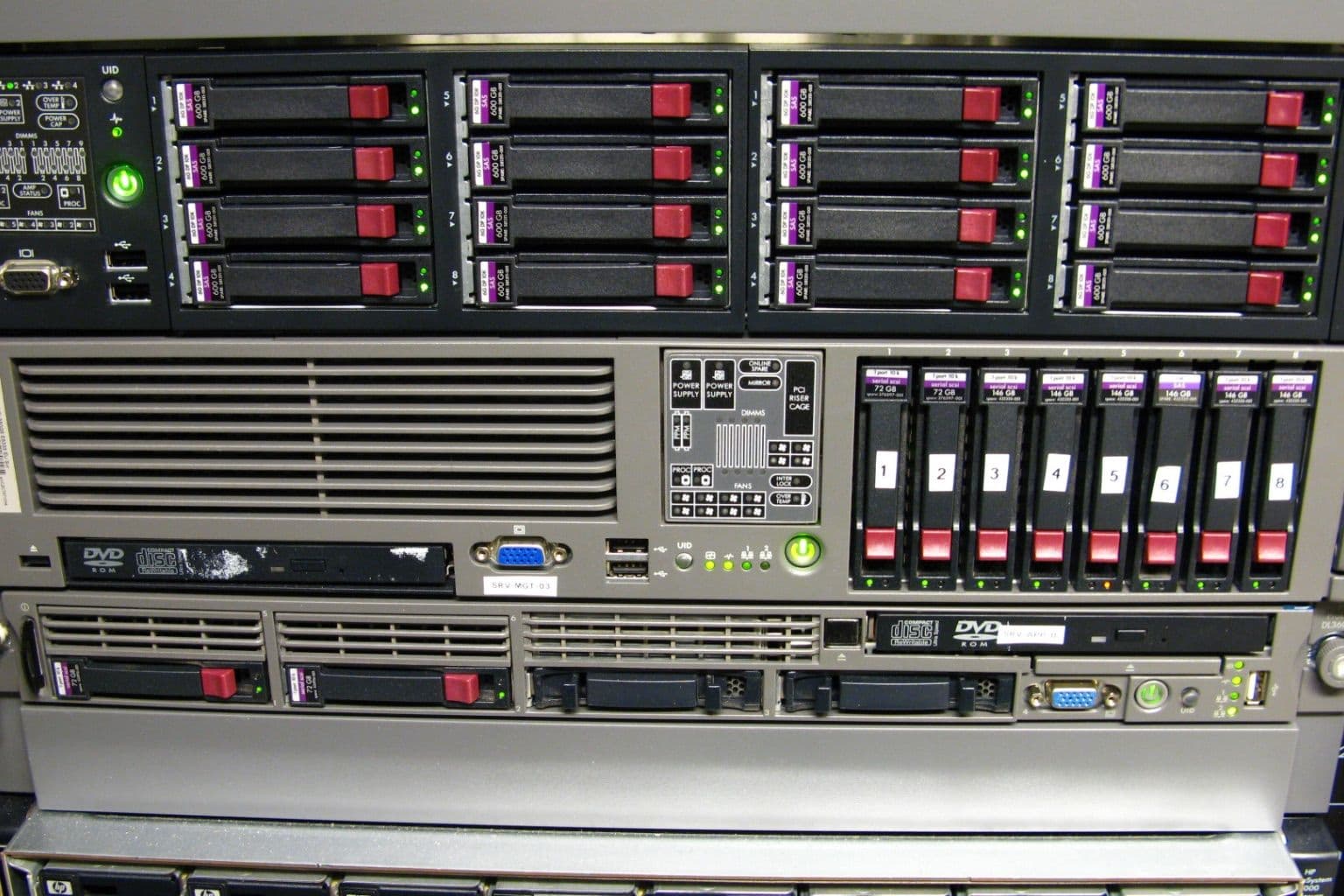
Cover photo: HP ProLiant DL360 and two DL380 by Robert, via Wikimedia Commons (CC BY 2.0).

