How Much Server Memory Does a Virtualised UAE Office Need?
Add up what each virtual machine actually commits, add the hypervisor's own reserve, add whatever a second host would have to absorb if the first one fails, then round that total up to a DIMM population the board supports at full speed. The last step is the one most quotations get wrong, because 256 GB built from eight modules and 256 GB built from sixteen modules are not the same purchase, and on a Dell PowerEdge R760 they do not even run at the same speed.
This article is about the memory line specifically. The wider decision, tower against rack against cloud, is covered in our business server buying guide for UAE SMEs.
Count the guests before you count anything else
Published operating system minimums are installation floors, not working sizes. Microsoft's Windows Server hardware requirements page, updated in August 2026, lists 2 GB for Server Core and 2 GB for Server with Desktop Experience with 4 GB recommended for Windows Server 2025, and warns that a virtual machine built with the minimum supported parameters of one core and 1,024 MB of RAM fails to install at all. The documented workaround is to allocate 1,280 MB or more for setup and reduce it afterwards.
Those numbers get the operating system onto disk. They tell you nothing about a domain controller that also carries DNS and DHCP, or a database machine whose working set is the only figure that matters. Measure instead of copying the last purchase order: read committed memory inside each existing machine across a normal working week, including the month end run that everybody forgets. On a Hyper-V host, the Performance Monitor counter named Hyper-V Dynamic Memory Balancer, Available Memory shows how much the host still has to give out.
The hypervisor takes a cut, and it is not a flat percentage
Broadcom's ESXi 8.0 hardware requirements state a minimum of 8 GB of physical RAM, with at least 12 GB recommended to run virtual machines in typical production environments, on a host with at least two CPU cores and a boot disk of at least 32 GB. Per machine overhead sits on top of that. The vSphere 8.0 resource management documentation declines to publish a single figure because overhead depends on vCPU count, configured guest memory, the number and type of virtual devices, the monitor execution mode and the virtual machine hardware version. It tells you to power the machine on and search vmware.log for VMMEM, which prints the exact reservation for that machine.
Hyper-V behaves differently. Windows Server calculates a reserve for the management operating system on its own, and sets aside more when the host belongs to a failover cluster. Dynamic Memory then works from four settings: startup RAM, minimum RAM, which can be set as low as 32 MB, maximum RAM, which can go up to 1 TB, and a memory buffer expressed as a percentage. Microsoft gives the buffer formula plainly: memory the machine needs multiplied by the buffer value divided by 100, so a guest committing 1,000 MB with a 20 percent buffer is allocated 1,200 MB.
Smart Paging is the part to watch. It bridges the gap between minimum and startup memory during a restart when no physical memory is available and none can be reclaimed from other machines, and Microsoft states it is temporary and not expected to last longer than 10 minutes. If a host reaches for it during ordinary operation, the host is short of memory and the answer is DIMMs, not tuning.
If the storage layer is ZFS, budget for it as a separate line. The Proxmox VE documentation recommends at least 2 GiB base plus 1 GiB per TiB of storage for the ARC cache, so an 8 TiB pool wants 10 GiB of memory before a single guest starts. New installations from Proxmox VE 8.1 onwards cap the ARC at 10 percent of installed memory, to a maximum of 16 GiB.
The failover answer moves the number more than the workload does
One host means total guest memory plus hypervisor reserve plus growth headroom. Two hosts that must keep the business running when one dies means each host carries the whole workload, which doubles the memory bill rather than splitting it. Settle that question before requesting a quotation, because it decides whether you are buying 256 GB once or 256 GB twice, and it changes the chassis choice as well, as our comparison of blade, rack and tower servers sets out.
Buy memory in the shape the board accepts
Take the Dell PowerEdge R760 as the worked example, since its service manual publishes the rules. Memory is organised as eight channels per processor with two sockets per channel, giving 16 sockets per processor and 32 per system. Supported RDIMM counts are 1, 2, 4, 6, 8, 12 or 16 per processor, and the manual is blunt about the rest: unbalanced or odd memory configurations result in a performance loss, and the system may not identify the memory modules being installed.
Speed is where the shape of the order shows up on the invoice. The R760 runs DDR5 at 4800, 5600 or 6400 MT/s depending on processor generation, and drops to 4400 MT/s as soon as a second DIMM goes into a channel. Install modules of different speeds and every one of them runs at the speed of the slowest. Dell also forbids several mixes outright: different DIMM capacities together, 16 GB with 24 GB with 32 GB, x4 with x8 DRAM, and 3DS with non 3DS RDIMMs.
Put those rules together and the target configuration is eight identical modules per processor, one per channel. Eight 32 GB DIMMs give 256 GB at the rated speed with eight sockets still empty for a later upgrade. Sixteen 16 GB DIMMs give the same 256 GB, run at 4400 MT/s, and leave no path forward that does not involve throwing modules away. The second option is usually cheaper on the day and more expensive within two years.
When you are adding memory to a server that is already in service, quote the exact part number of what is installed, not the capacity. A phrase such as 32 GB DDR5 RDIMM covers modules of different rank and DRAM organisation, and the board will refuse to mix them.
In a Dubai comms room, the DIMM you pick changes the temperature the server tolerates
The R760 environmental specifications give ASHRAE A2 continuous operation as 10 to 35°C with no direct sunlight on the equipment, humidity from 8 percent relative humidity with a minimum dew point of minus 12°C up to 80 percent with a maximum dew point of 21°C, and a maximum temperature reduced by 1°C for every 300 m above 900 m. Dubai sits at close to sea level, so the altitude derating never applies here and the 35°C ceiling is the figure to design against.
Then read the thermal restriction matrix, which most buyers never open. In many air cooled configurations, 256 GB RDIMMs are held to a supported ambient of 30°C rather than 35°C, and 96 GB and 128 GB modules fall to 30°C in certain storage configurations, while 64 GB and smaller generally keep the full 35°C. In GPU configurations the matrix marks 256 GB RDIMMs as requiring direct liquid cooling in the densest storage layouts.
That matters in a Business Bay or JLT tenancy where the comms room is cooled from the building system and the chiller schedule steps down at 18:00 and over the weekend. Choosing the largest DIMM to save sockets can remove five degrees of thermal margin in exactly the room that loses cooling first. Check the matrix for the specific model and configuration, and treat room cooling and protected power as part of the same specification, which our guide to UPS and power protection for Dubai offices covers.
Six answers to send with your enquiry
- The virtual machine list with measured committed memory for each one, rather than the memory currently allocated to it.
- The hypervisor and version, and whether the host joins a failover cluster, since clustering adds its own reserve.
- Whether storage uses ZFS and the raw pool size in TiB, so ARC is budgeted at 2 GiB plus 1 GiB per TiB.
- For an upgrade, the server model, the exact DIMM part numbers already installed and which sockets are occupied.
- How many hosts there will be, and whether one has to run everything while another is down.
- The worst case ambient temperature in the comms room, and whether cooling follows a building schedule.
Those six answers turn a memory enquiry into a specification that can be quoted accurately, and they stop the common failure where a server arrives with the right total capacity in the wrong number of modules.
Codeeo Tech supplies Dell EMC, HPE, Supermicro and Lenovo servers to businesses across the UAE, together with the memory that goes in them. Every item is quoted rather than priced on the page. Send the six answers above through the contact page and ask for the population plan alongside the total, so you can see exactly which sockets are filled and which are left for later.
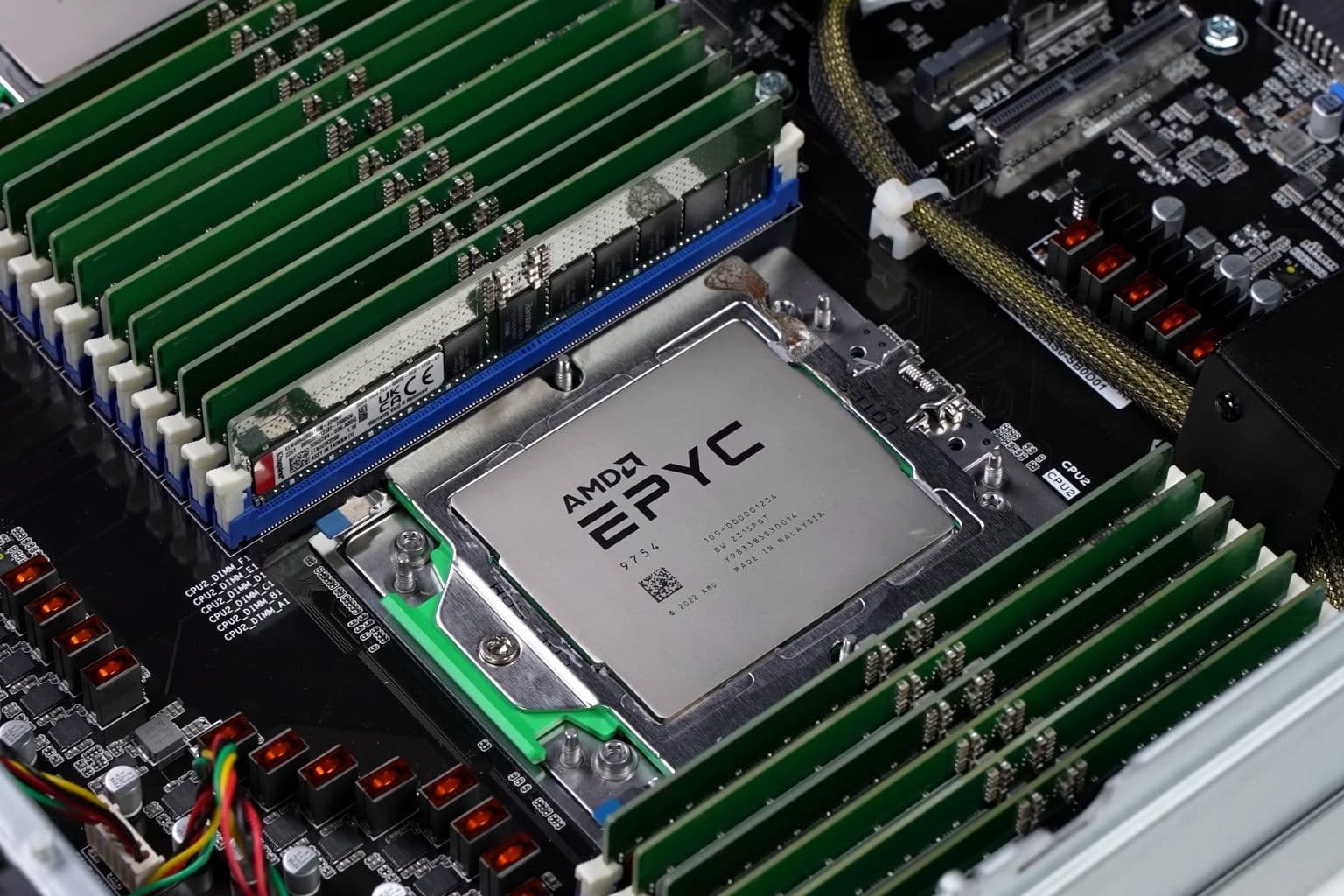
Cover photo: AMD Epyc 9754 in Dual-CPU-Socket-Serversystem (极客湾Geekerwan) 01 by 极客湾Geekerwan, via Wikimedia Commons (CC BY 3.0).

