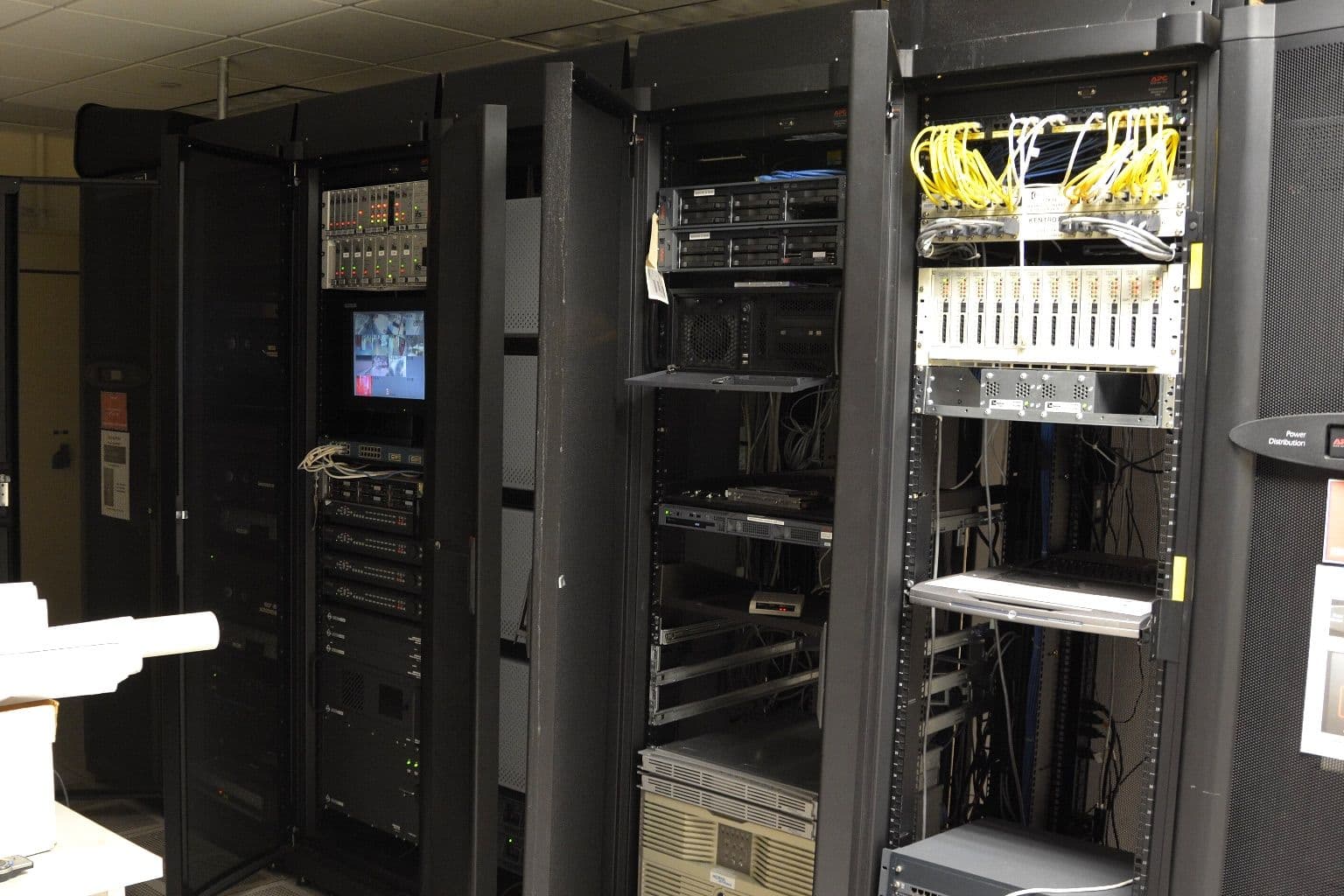
Comms Room Housekeeping That Prevents Outages
Most comms room outages in a UAE office are not caused by a switch dying of old age. They come from three dull things: hot exhaust air getting back into the front of the rack, a UPS whose batteries have quietly aged in the heat, and someone unplugging the wrong cable because nothing was labelled. Fix those three and you remove most of the risk that sits inside a small office rack, and none of the fixes needs new core equipment.
Uptime Institute's Annual Outage Analysis 2026, published on 13 May 2026, found that power caused 45% of respondents' most recent impactful outages in its 2025 survey, down from 54% in 2024, with failures involving UPS systems, transfer switches and generators dominant. The same report found that 92% of respondents to its Data Center Resiliency Survey 2026 said human error was at least a minor contributor to their most recent impactful outage, and that failure to follow procedures was the leading way it happened. Those figures come from data centres. A 12U cabinet in a Business Bay fit-out has less redundancy than any of them, so the same causes hit harder.
Measure temperature where the equipment breathes
The number that matters is the air entering the front of each device, not the figure on the wall thermostat. ASHRAE Technical Committee 9.9, in its 2016 white paper on data centre power equipment, gives a recommended range of 18 to 27°C for air cooled IT equipment, and its Class A1 allowable range runs from 15 to 32°C. The same paper notes how hard it is to hold temperature uniform from rack to rack and along the height of a rack, so a room that averages 23°C can still have a switch near the top breathing much warmer air.
Cisco's Catalyst 9200 data sheet, updated 1 September 2026, rates the switch for operation from minus 5°C to plus 45°C up to 1,500 metres. A 38°C inlet on an August afternoon is inside that rating. The UPS battery in the bottom of the same rack is losing service life for every hour it spends there.
That gap is the core housekeeping rule for this climate: set the room target by the most heat sensitive item in it, which is almost always the lead acid battery, not the switch. ASHRAE's 2016 white paper on power equipment treats 25°C as the typical temperature for 100% of a lead acid battery's rated lifetime, and gives a rule of thumb that the lifetime halves for every 8 to 10°C above that. A battery held at 35°C all summer is heading for about half its rated life. Our guide to UPS battery replacement cycles in UAE conditions covers what that does to a replacement budget.
Put one temperature probe at the front of the rack at the height of the top device, and a second near the UPS. If your UPS has a network management card, check whether it takes an environmental probe, because the email alert is worth more than the reading. The usual failure pattern in Dubai office towers is easy to predict: the building's chilled water or the fan coil unit serving the comms room is set back after hours or on Friday, the room climbs past 30°C overnight, and nobody knows until a device reboots.
Close the gaps in the rack
Empty rack units are the cheapest cause of overheating to fix. Schneider Electric's White Paper 44, "Improving Rack Cooling Performance Using Airflow Management Blanking Panels" (Revision 4, by Neil Rasmussen), measured a rack of servers with and without a panel over an unused space. The hottest server, sitting directly above the gap, saw its inlet temperature drop by more than 11°C once the panel went in. In real network rooms with mixed density and short rows, Schneider measured reductions of 2.8 to 8.3°C.
Hot exhaust at the back of the rack finds the open slot and flows forward into the intakes of the equipment beside and above it. The paper also flags the space used to pass cables from front to back and recommends panels with a brush or shield, which matters in office racks where patch leads run through a gap left open during the fit-out.
Three checks cover most office racks:
- Every empty U at the front has a blanking panel, including the one between the patch panel and the switch.
- Every device draws air from the same side. A switch mounted backwards so its ports face the patch panel may be pulling air from the hot rear of the rack. Check the airflow direction printed on the chassis or in the data sheet before mounting it.
- Nothing is stored on top of the rack or against its vents. Spare laptops, boxed access points and a second router on top of the cabinet are a common sight in JLT and DIFC offices, and all of them block exhaust.
Label both ends before anyone needs to trace a cable
Unlabelled patching turns a ten minute change into an outage. The current standard for this is ANSI/TIA-606-D, approved on 5 October 2021, which assigns a unique identifier to each rack, patch panel port and cable and expects a label at both ends of every link. A single floor office does not need its full administration classes, only its core principle: the identifier on the cable matches a record somewhere else.
The simplest version that holds up is a port map. One spreadsheet row per patch panel port, showing the outlet it serves, the switch port it lands on, the VLAN and what is plugged in at the desk. Keep it next to your hardware asset register so both are updated in the same change. If the cabling was certified at handover, the certification report already lists every link by identifier, so start the map from that.
Label power too. Each UPS outlet and each PDU socket should say what it feeds. When a UPS needs a battery swap or goes into bypass, the person doing it has to know whether the firewall and the core switch sit on the protected outlets or on the surge-only ones.
Write down the procedures people actually skip
Uptime's finding that failure to follow procedures leads human error outages only helps if there is a procedure to follow. For an office comms room, four short written steps prevent most self-inflicted outages:
- Before unplugging anything, check the port map and confirm the cable label at both ends.
- Before a firmware update, save the running configuration off the device and note the rollback image. Our post on firmware updates that break a network explains why the second step is the one people miss.
- Before any work on the UPS, confirm which loads will drop if it goes into bypass or shuts down.
- After any change, update the port map the same day. A map that is two changes out of date is worse than none, because people trust it.
Access control belongs here too. If the comms room doubles as a storeroom, cleaners, facilities staff and the landlord's contractors all pass through it. A locked door with a short list of keyholders removes a whole category of accidental outages, including the vacuum cleaner plugged into a UPS outlet.
Dust, drains and the fit-out you inherited
UAE comms rooms carry two risks that a generic checklist misses. The first is fine dust. After a shamal, or during a neighbouring unit's fit-out, dust gets drawn through intakes and settles on fan blades and filters. Look at the intake grilles on your switches and firewall every quarter. If the fans have visible dust, the device is already running warmer than its data sheet assumes.
The second is water. Fan coil units and split air conditioners mounted directly above racks are common in converted office space, because the comms room was carved out of a corner after the ceiling services were fixed. Condensate trays overflow when their drains block, and the rack underneath is the first thing they reach. If you cannot move the unit, a drip tray and a water sensor on the floor below it cost far less than a wet core switch.
A quarterly routine that takes an hour
| Check | What good looks like | Source of the target |
|---|---|---|
| Rack inlet temperature, top device | Within 18 to 27°C, including after hours | ASHRAE TC 9.9 recommended envelope |
| Battery area temperature | Close to 25°C | ASHRAE TC 9.9 power equipment white paper, 2016 |
| Empty rack units | All blanked, cable pass-throughs brushed | Schneider Electric White Paper 44 |
| Labels and port map | Both ends labelled, map matches the rack | ANSI/TIA-606-D |
| UPS self test and alerts | Test passed, email alert received | UPS manufacturer's manual |
| Dust and water | Clean intakes, dry floor, drain clear | Visual inspection |
Put the routine in the calendar for May, before the heat. A fault found in May can be fixed at leisure. The same fault found in August usually arrives as an outage.
Where Codeeo Tech fits
Codeeo Tech supplies the hardware that sits in these rooms, including APC power protection and switching from Cisco, HPE Aruba and Juniper. We are a supplier, not an installer, so the housekeeping above is yours or your IT partner's to run. If the quarterly check shows a UPS near the end of its battery life or a switch with the wrong airflow direction for your rack, send us the model numbers through the contact page and we will quote the replacement.
Cover photo: Server Room (22397102849) by Carl Lender from Sunrise, USA, via Wikimedia Commons (CC BY 2.0).

